
Yes, your smart fridge will likely need software updates to stay secure, perform well, and stay compatible with your smart home system. Updates fix bugs, improve energy efficiency, and add new features. Many fridges check for updates automatically, but you can also manually check via the settings. Keeping your firmware current helps prevent security risks and maintains ideal operation. To learn how to handle these updates smoothly, keep exploring this topic.
Key Takeaways
- Smart fridges often require firmware updates to fix bugs, improve performance, and enhance security features.
- Check for updates regularly via the settings menu or automatic Wi-Fi notifications to keep your fridge current.
- Firmware updates may be needed to ensure compatibility with new smart home devices and ecosystems.
- Ignoring updates can leave your fridge vulnerable to security threats and reduce energy efficiency.
- Keeping your smart fridge updated ensures optimal operation, new features, and a better user experience.

Updating your smart fridge’s firmware can also help address security vulnerabilities, ensuring your appliance remains protected against potential threats. Updating your smart fridge’s firmware is an essential step to guarantee it runs smoothly and securely. Firmware updates often improve the appliance’s performance, fix bugs, and introduce new features, making your daily routines more convenient. One key benefit of keeping your firmware current is enhanced energy efficiency. Manufacturers frequently optimize algorithms during updates, helping your fridge use less power while maintaining optimal cooling. This not only saves you money on energy bills but also reduces your environmental impact. Additionally, a more efficient fridge means less wear and tear on components, potentially extending its lifespan.
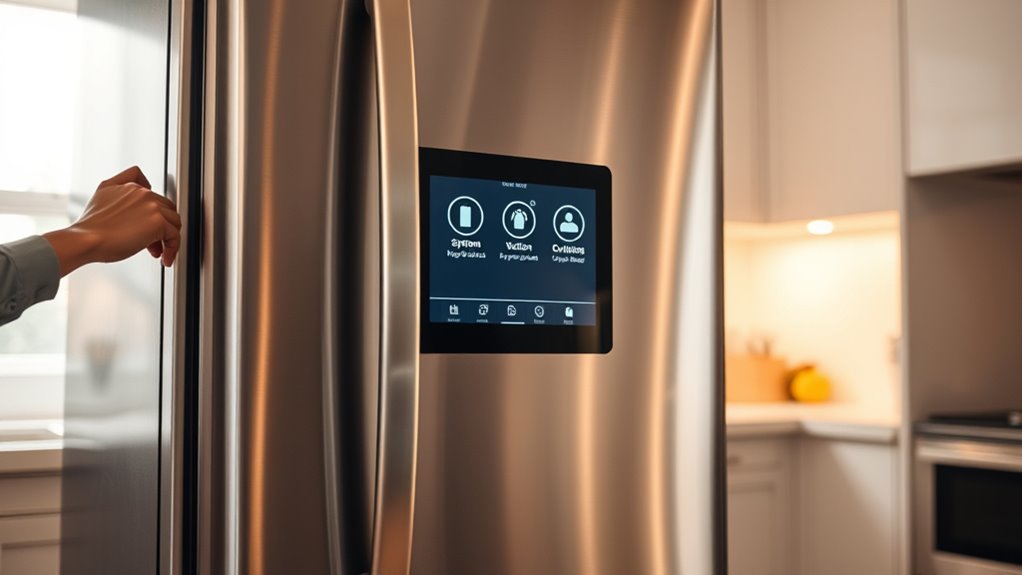
Beyond energy savings, updating your smart fridge’s firmware can significantly improve its user interface. As technology advances, manufacturers refine how users interact with their appliances, making controls more intuitive and accessible. When you update your firmware, you might notice a more streamlined menu, faster response times, and better integration with your home’s smart ecosystem. These improvements make managing your fridge’s settings, tracking inventory, or scheduling cooling cycles easier and more enjoyable. If your fridge has a touchscreen or digital display, firmware updates can enhance visual clarity, responsiveness, and the overall user experience, ensuring you don’t struggle with outdated or sluggish controls.
The process of updating your smart fridge’s firmware is generally straightforward. Many brands offer automatic updates through Wi-Fi, so your appliance can download and install the latest software silently in the background. However, it’s a good idea to check periodically for updates manually via the settings menu. Typically, you’ll find an option labeled “Software Update” or “Firmware Update.” Before starting the process, ensure your fridge is connected to a stable Wi-Fi network and, if necessary, plugged into a power source to avoid interruptions. During the update, your fridge may restart or temporarily become unresponsive, but this is normal. Once complete, you’ll likely see a confirmation message, and your appliance will resume normal operation with improved features.
Ignoring firmware updates can leave your smart fridge vulnerable to security issues or bugs that could affect performance. Outdated software might cause glitches, reduce energy efficiency, or compromise the user interface experience, making it harder to use or more prone to errors. Regularly updating your fridge’s firmware is a simple yet crucial step to maintaining peak performance, security, and user satisfaction. Remember, manufacturers often release updates to address known vulnerabilities or improve compatibility with other smart devices, so staying current ensures your refrigerator remains a reliable and efficient part of your smart home.
smart fridge firmware update kit
As an affiliate, we earn on qualifying purchases.
As an affiliate, we earn on qualifying purchases.
Frequently Asked Questions
How Often Should I Check for Smart Fridge Updates?
You should check for smart fridge updates at least once a month to guarantee peak performance and security. Regular updates improve smart fridge security and fix bugs, maintaining firmware compatibility. Keep an eye on the app or fridge display for notifications about new firmware releases. Staying current helps protect your data and ensures your appliance functions smoothly, so make it a habit to review updates regularly.
Can I Update My Smart Fridge Firmware Manually?
Yes, you can perform a manual update on your smart fridge, but you need to guarantee firmware compatibility first. Check your fridge manufacturer’s website or app for specific instructions on how to do a manual update. Usually, you’ll download the firmware file, then follow step-by-step guidance to upload it to your appliance. Just make sure the firmware matches your model to avoid potential issues.
What Are the Risks of Ignoring Firmware Updates?
Ignoring firmware updates is like leaving your front door unsecured; you risk security vulnerabilities and data privacy breaches. Outdated software makes your smart fridge more susceptible to hacking, potentially exposing personal information and disrupting functionality. Without updates, you miss out on critical security patches and bug fixes, increasing the chance of malfunctions. Stay vigilant, update regularly, and protect your smart home from unseen threats lurking in outdated firmware.
Do Firmware Updates Improve Smart Fridge Performance?
Firmware updates do improve your smart fridge’s performance by enhancing software compatibility and security. These updates fix bugs, introduce new features, and guarantee your appliance works smoothly with other devices. By keeping your firmware current, you reduce vulnerabilities and improve overall functionality. Skipping updates can lead to glitches or security risks, so it’s best to install them promptly to enjoy peak performance and peace of mind.
Will Firmware Updates Affect My Customized Fridge Settings?
While firmware updates aim to enhance your smart fridge’s capabilities, they typically preserve your customization settings, ensuring your preferences remain intact. However, it’s wise to check update compatibility beforehand, as rare cases may cause slight adjustments. Usually, updates are designed to improve performance without disrupting your personalized configurations, allowing you to enjoy improved functionality while maintaining the comfort of your settings.

ForeverPRO CJT30000002 Tool Jig- Compessor for LG Refrigerators Software Rewriter
Replacement compatible for LG CJT30000002 Tool Jig- Compessor
As an affiliate, we earn on qualifying purchases.
As an affiliate, we earn on qualifying purchases.
Conclusion
So, next time you hear about a firmware update for your smart fridge, don’t ignore it. It might seem small, but ignoring those updates could mean missing out on new features or even risking security. Will your fridge stay reliable, or will it surprise you when you least expect? Keep an eye out, stay proactive, and your smart appliance will be ready for whatever comes next—because sometimes, the biggest changes happen in the quietest updates.

VEECOOL Commercial Refrigerators Upright WiFi Enabled, 27" One Section Solid Door Reach in Refrigerator with Right-Hinged Door, 23 cu.ft. Capacity, Stainless Steel, Fan Cooling, ETL&ETL Sanitation
Manage Maintenance Seamlessly: With a Wi-Fi connection, only a simple operation is needed on-site to complete the IoT…
As an affiliate, we earn on qualifying purchases.
As an affiliate, we earn on qualifying purchases.

OEM Replacement for LG Refrigerator Control EBR81182701
OEM Replacement for LG Refrigerator Control EBR81182701 – This OEM Part is Recycled & Inspected
As an affiliate, we earn on qualifying purchases.
As an affiliate, we earn on qualifying purchases.