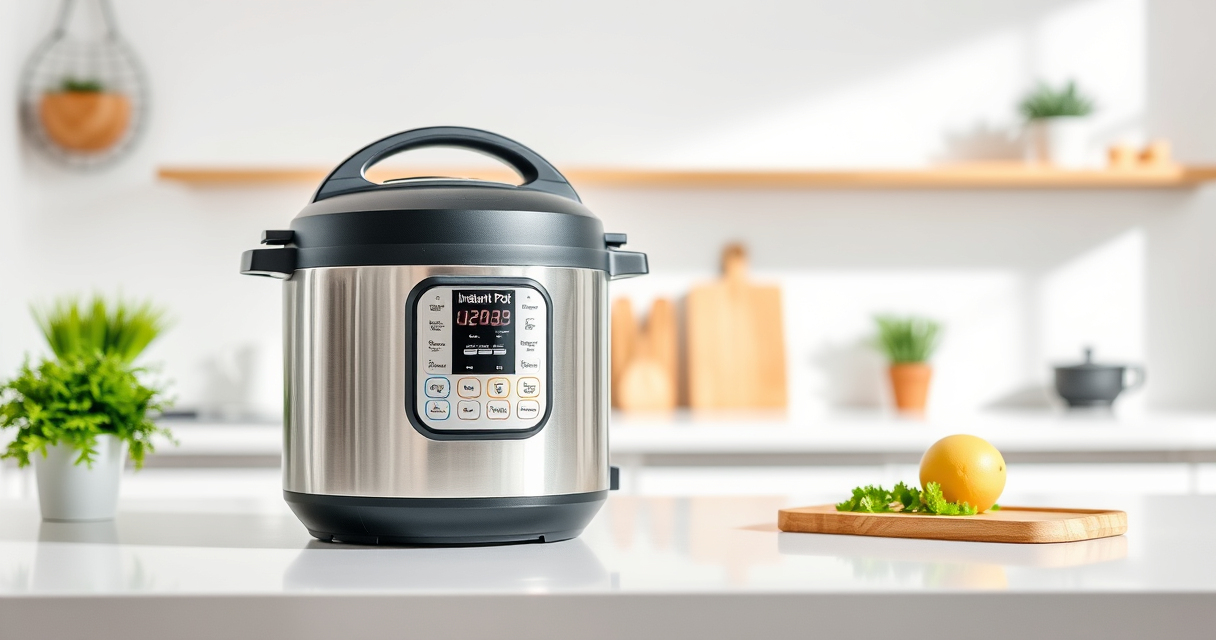

If your Instant Pot displays a burn error message during cooking, it can be frustrating and halt your meal preparation. This guide explains the common causes of this error and provides clear, step-by-step solutions to fix it safely. Understanding the reasons behind the burn notice helps you prevent future occurrences and ensures your pressure cooker operates smoothly.
Whether you’re new to pressure cooking or experienced, these practical tips will help you troubleshoot quickly, saving time and avoiding unnecessary wear on your appliance.
Key Takeaways
| Causes | Burn errors often occur due to food sticking, improper liquid levels, or sealed lid issues. |
| Prevention | Use adequate liquid, avoid thick ingredients that stick, and ensure proper sealing. |
| Fix Steps | Release pressure, clean the pot, check the sealing ring, and restart. |
| Safety Tips | Always follow safety instructions when releasing pressure or handling hot steam. |

Instant Pot 4QT RIO Mini 7-in-1 Multi-Cooker, Pressure Cooker, Slow cook, Sauté, Steam, Rice Maker, Yogurt, & Warmer, Black, 4 Quarts
- 7-in-1 Multi-Cooker Functions: Pressure, slow, sauté, steam, rice, yogurt, warm
- Compact and Space-Saving: Mini size with large cooking surface
- Ideal for Small Meals: 4-quart capacity for up to 4 servings
As an affiliate, we earn on qualifying purchases.
Understanding the Burn Error
The burn error appears when the Instant Pot detects food or liquid that could burn or stick to the bottom during pressure cooking. It’s a safety feature to prevent damage or safety hazards. Common causes include insufficient liquid, thick sauces, or food that tends to stick.
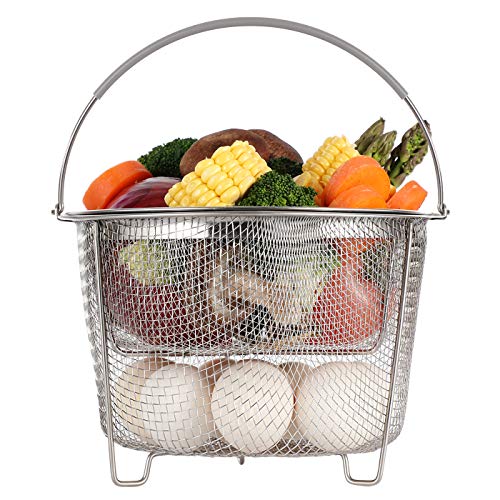
AOZITA Steamer Basket for Instant Pot Accessories 6 qt or 8 quart - 2 Tier Stackable 18/8 Stainless Steel Mesh - Silicone Handle - Vegetable Steamer Insert, Egg Basket, Pasta Strainer,Silver
- 2-Tier Stackable Design: Cook multiple foods simultaneously
- Versatile Instant Pot Accessory: Steams, strains, and prepares broths
- High-Quality Stainless Steel: Durable, dishwasher safe material
As an affiliate, we earn on qualifying purchases.
Step 1: Release Pressure Safely
- Turn off the Instant Pot and unplug it from the power source.
- Allow the pressure to release naturally for 10-15 minutes, or perform a quick release if safe to do so.
- Open the lid carefully, avoiding steam burns.
Step 2: Clean the Inner Pot and Sealing Ring
- Remove the inner pot and wash it with warm, soapy water, ensuring no food residues remain at the bottom.
- Check the sealing ring for cracks or deformities; replace if damaged.
- Clean the sealing ring and lid thoroughly to remove any stuck food or residue.
Step 3: Check Liquid Levels and Ingredients
Ensure there is enough liquid in the recipe—generally at least 1 to 1.5 cups of water or broth for most recipes. Avoid overly thick or sticky ingredients that can stick to the bottom during cooking.
Step 4: Restart Cooking with Adjustments
- Add more liquid if needed.
- Stir ingredients to loosen stuck food.
- Close the lid securely and set the pressure cooker to cook again.
The Products in This Guide

Instant Pot 4QT RIO Mini 7-in-1 Multi-Cooker
- ✔ Size: 4 Quarts
- ✔ Functions: 7-in-1
- ✔ Material: Black

AOZITA Steamer Basket
- ✔ Material: Stainless Steel
- ✔ Size: 2-tier
- ✔ Compatibility: 6 & 8 Quart
Instant Pot 4QT RIO Mini 7-in-1 Multi-Cooker
The Instant Pot 4QT RIO Mini is a compact, multi-functional pressure cooker that offers seven cooking modes including pressure cook, slow cook, sauté, and more. Its anti-spin design ensures stability during cooking, making it a practical choice for small kitchens.
Pros:
- Compact size perfect for small families
- 7-in-1 multi-functionality
- Easy to monitor with progress indicator
- Sturdy anti-spin design
Cons:
- Limited 4-quart capacity
- May require frequent cleaning of sealing ring
- Not ideal for large meals
Best for: Small households, quick meals, small kitchen spaces
Not ideal for: Cooking large quantities or for big families
Bottom line: A versatile, space-saving pressure cooker ideal for small-scale meals.
AOZITA Steamer Basket
The AOZITA Steamer Basket allows you to cook vegetables, seafood, or even eggs simultaneously in your Instant Pot. Its two-tier design maximizes space and efficiency, making your meals more versatile and organized.
Pros:
- Two-tier stackable design
- Made of durable stainless steel
- Easy to clean
- Compatible with 6 & 8 qt models
Cons:
- Adds extra step to cleaning
- Requires careful stacking for stability
- May need adjusting for different models
Best for: Multi-item steaming, vegetables, seafood
Not ideal for: Cooking large quantities of rice or soups
Bottom line: A practical accessory to expand your Instant Pot’s steaming capabilities.
Frequently Asked Questions
What causes the burn error on my Instant Pot?
The burn error usually occurs due to insufficient liquid, food sticking to the bottom, or a sealed lid not properly fitted. Ensuring enough liquid and cleaning the bottom of the pot can prevent this.
How do I reset the burn error?
Turn off and unplug the Instant Pot, release pressure safely, clean the inner pot and sealing ring, and then restart with proper liquid levels and ingredients.
Can I continue cooking after a burn error?
Yes, after cleaning and adjusting ingredients, you can restart the cooking process. Just ensure the issues causing the burn are addressed.
How often should I replace the sealing ring?
Replace the sealing ring if it shows cracks, deformation, or an odor that won’t go away. Regular inspection ensures safety and proper sealing.
Keeping Your Instant Pot Burn-Free
Understanding the causes of the burn error and following these troubleshooting steps will help you keep your Instant Pot functioning smoothly. Regular maintenance, proper liquid levels, and careful ingredient placement are key to avoiding this common issue. With a little practice, you can cook delicious meals without interruptions or safety concerns.
Affiliate disclosure: As an Amazon Associate we earn from qualifying purchases. Prices and availability are accurate as of the time of publishing.