
To use your smart kitchen devices offline, guarantee they are properly synchronized and have the latest firmware updates. Many devices can operate through local control or preset schedules without internet access, especially if set up beforehand. Local networks allow you to manage settings directly, keeping your appliances responsive during outages. Regularly updating and configuring your devices in advance boosts their offline capabilities. Stay with us to discover how to maximize your smart kitchen’s offline potential fully.
Key Takeaways
- Proper device synchronization and firmware updates enable smart kitchen devices to operate effectively offline.
- Local control apps and networks allow direct management of appliances without internet access.
- Pre-scheduling and offline recipes ensure appliances function smoothly during internet outages.
- Regularly updating firmware enhances offline capabilities and device responsiveness during disruptions.
- Planning setup and ensuring devices are synchronized beforehand minimizes issues during internet outages.
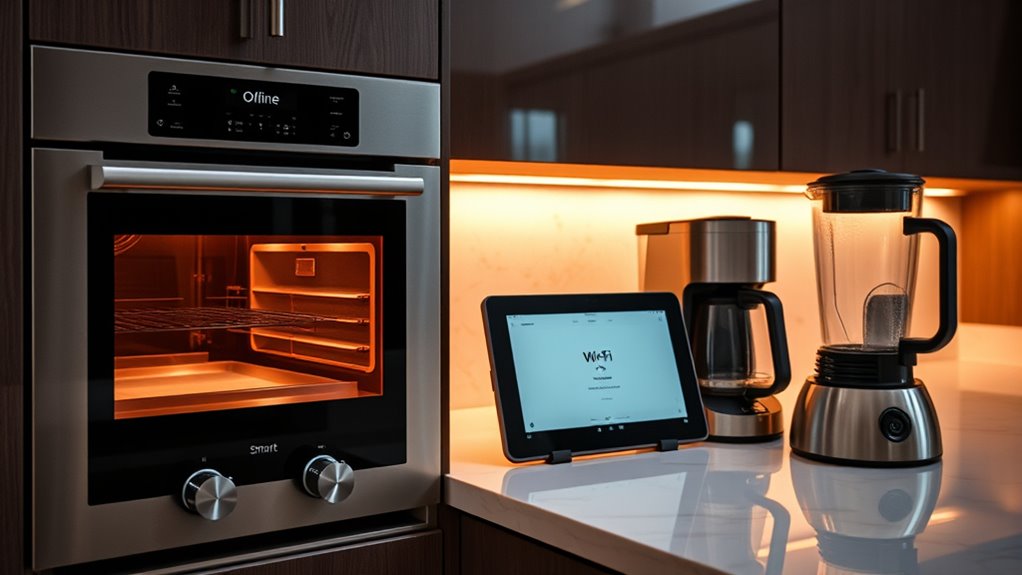
Have you ever been caught without an internet connection and wondered how to continue working or using your apps? It’s frustrating when your smart kitchen devices suddenly become unresponsive, especially if you rely on them for meal prep or managing your appliances. Luckily, many modern smart devices are designed to work efficiently in offline mode, but understanding how they do so can make all the difference. One key aspect is device synchronization. When your devices are properly synchronized, they can store necessary data locally, enabling you to continue operating them even when they’re offline. This means your smart oven, fridge, or coffee maker can still follow preset schedules or recipes without needing constant internet access. To guarantee smooth offline functionality, it’s essential to set up device synchronization correctly beforehand. This process often involves connecting your device to your home network and allowing it to download updates and configurations. Synchronization also helps your devices stay in sync with each other, so commands issued from your smartphone or tablet are executed seamlessly, even if the connection drops temporarily. Additionally, ensuring your devices are correctly configured for offline use can significantly improve their resilience during internet outages.
Another critical factor is firmware updates. Manufacturers regularly release firmware updates to enhance device performance, fix bugs, and improve security. While these updates typically require an internet connection to download and install, it’s wise to perform them during times when your network is stable. Once updated, many smart kitchen devices are better equipped to work offline, leveraging the latest software to operate smoothly without constant connectivity. Firmware updates often include improvements that enable your devices to function autonomously for a period, so you’re not left stranded if your internet goes down unexpectedly. Before disconnecting or losing internet, ensure your devices are up-to-date. This preparation guarantees they have the latest features and offline capabilities, reducing the chances of disruptions.
Furthermore, some devices support local control apps or local networks, which allow you to operate them directly without internet. These setups often rely on device synchronization to ensure commands are executed accurately. If your smart kitchen devices are configured correctly, you can still adjust oven temperatures, monitor fridge contents, or start your coffee maker through these local controls. Planning ahead by updating firmware and ensuring proper device synchronization means you won’t lose essential functionality at critical moments. Ultimately, understanding how your devices manage offline mode can save you time and frustration. With the right setup, firmware updates, and synchronization, your smart kitchen becomes more resilient, empowering you to keep cooking, prepping, and managing your appliances smoothly—even when the internet isn’t available.

Kasa Smart 3-Way Dimmer Switch Kit, KS230 KIT v2, Need Neutral Wire
- 3-Way Smart Dimmer Switch: Replaces traditional 3-way switches
- Dimming Range: Adjust brightness from 1% to 100%
- Scheduling Feature: Set light schedules for convenience
As an affiliate, we earn on qualifying purchases.
As an affiliate, we earn on qualifying purchases.
Frequently Asked Questions
Can Offline Mode Be Enabled Automatically During Internet Outages?
Yes, offline mode can be enabled automatically during internet outages. Many smart kitchen devices have automatic activation features triggered by outage detection sensors. When they sense a loss of connectivity, they switch to offline mode seamlessly, ensuring you can still operate your devices without interruption. This automatic activation helps maintain functionality without needing manual intervention, giving you peace of mind and continuous control even during internet disruptions.
Are All Smart Kitchen Devices Compatible With Offline Mode?
Most smart kitchen devices aren’t compatible with offline mode, and trying to use them without internet can feel like hitting a brick wall. You’ll find that device compatibility varies wildly, with some devices offering limited offline capabilities and others being completely useless offline. Offline limitations often mean you can’t access real-time updates or remote controls. So, don’t assume every gadget will work seamlessly without internet—check each device’s offline features before you rely on them.
How Secure Is My Data When Using Offline Features?
Your data stays more secure when using offline features because it isn’t transmitted over the internet. However, verify your devices use data encryption to protect stored information. Also, review privacy policies to understand how your data is handled locally. While offline mode reduces certain risks, always keep your device’s software updated and use strong passwords to enhance security and maintain your privacy.
Will Offline Mode Affect Device Firmware Updates?
Imagine your smart kitchen device as a busy chef in your home, chopping and cooking without missing a beat. Offline mode won’t stop firmware updates, but it may slow their update frequency, delaying new features or security patches. Firmware security remains intact during offline use, yet for the latest updates, you’ll want to connect periodically. Regular updates guarantee your device stays secure and functions smoothly, even when offline.
Can I Control Devices Remotely When Offline?
When you’re offline, you can’t use remote access to control your smart kitchen devices. However, offline automation lets you manage certain functions locally, like turning on appliances or adjusting settings through your device’s app or hub. You’ll need to set up offline automation in advance, so your devices can operate without internet. This way, you maintain control even when internet connectivity drops, ensuring your smart kitchen stays functional.

Linkind Matter Smart Plug, Work with Apple Home, Alexa, Siri, Google Home
- Easy Setup with Matter: Control via popular smart home platforms
- Offline Device Communication: Operate without internet connection
- Remote Control Access: Manage devices remotely from anywhere
As an affiliate, we earn on qualifying purchases.
As an affiliate, we earn on qualifying purchases.
Conclusion
Embracing offline mode lets you enjoy your smart kitchen devices without relying on internet, ensuring uninterrupted cooking experiences. Did you know that over 60% of smart device users face connectivity issues at least once a month? By preparing for offline use, you stay in control and avoid disruptions. So, take advantage of offline features, keep your devices updated, and cook confidently—no internet required. Your kitchen, your rules, anytime you cook.
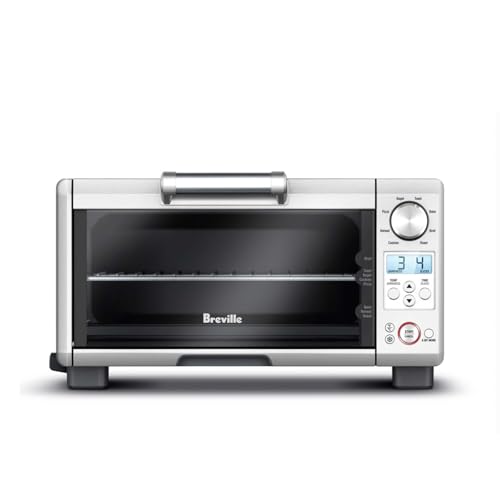
Breville BOV450XL Mini Smart Oven, Brushed Stainless Steel
- Compact Countertop Design: Space-saving mini oven with 8 functions
- Element iQ System: Smart quartz elements for precise cooking
- Fast Preheat: 1800 Watt quick preheat for faster meals
As an affiliate, we earn on qualifying purchases.
As an affiliate, we earn on qualifying purchases.

KPCB Tech Magnetic Electronic Digital Picture Frames 8" for Refrigerator
- Magnetic Attachment: Removable magnetic corners for easy mounting
- High-Definition Display: 1280×800 HD resolution with wide viewing angle
- Secure Wi-Fi Connectivity: Private photos via dedicated app and secure system
As an affiliate, we earn on qualifying purchases.
As an affiliate, we earn on qualifying purchases.