Using a tablet as your kitchen hub helps you organize recipes digitally, store ingredient lists, and follow step-by-step instructions easily. You can control smart gadgets like lights, appliances, and timers hands-free through voice commands, making cooking more efficient. A sturdy waterproof stand keeps your device at eye level and protected from spills. By consolidating recipes and gadget controls in one place, you’ll create a smarter, more streamlined kitchen environment. Keep exploring to discover how to set up your perfect digital kitchen assistant.

Get kitchen gear delivered free — and shop member deals
- Fast, free delivery on millions of items
- Access to Prime Big Deal Days deals on October 6–7
- Prime Video, Amazon Music and more included
Key Takeaways
- Use waterproof, sturdy stands to keep your tablet at eye level and prevent spills during cooking.
- Install recipe management apps that store and categorize recipes for easy access while cooking.
- Integrate voice control for hands-free operation of timers, measurements, and appliance commands.
- Connect your tablet to smart home systems to automate lighting, appliances, and kitchen routines.
- Utilize cloud storage for recipe backups and create customizable collections for quick recipe retrieval.
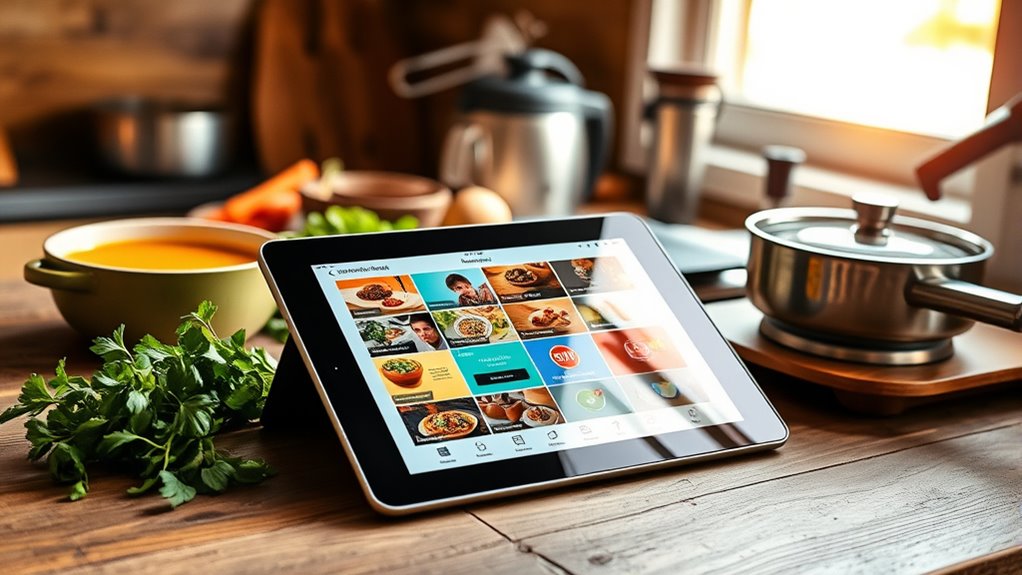
Transforming your tablet into a kitchen hub can streamline your cooking experience and keep all your essential information within reach. With a few simple setups, your device becomes the central point for managing recipes, controlling smart home devices, and accessing cooking tips. This approach allows you to stay organized, efficient, and hands-free while preparing meals. By integrating your tablet into a smart home system, you can control lighting, appliances, and even set timers without interrupting your workflow, making your kitchen more intuitive and responsive.
One of the key benefits of using your tablet as a kitchen hub is its powerful recipe management capabilities. Instead of flipping through bulky cookbooks or searching through cluttered bookmarks, you can store all your favorite recipes digitally. Many apps offer features like ingredient checklists, step-by-step instructions, and adjustable serving sizes. You can also organize recipes into categories or create custom collections tailored to your culinary preferences. With the touch of a finger, you can access your recipes while cooking, reducing the risk of spills on paper or screens. Plus, some apps sync with online recipe databases, giving you access to new ideas and trending dishes.
Store all your recipes digitally with apps that offer checklists, instructions, and customizable collections for effortless cooking.
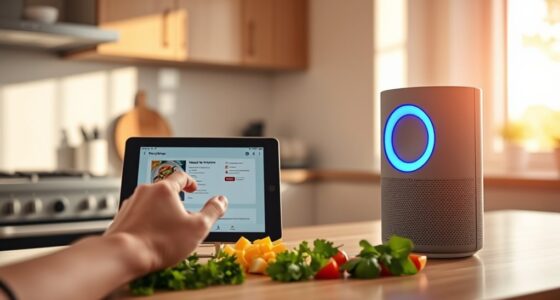
To optimize your tablet for recipe management, invest in a sturdy, waterproof stand that keeps the device at eye level and away from spills. This setup allows you to follow recipes easily without constantly picking up and putting down your device. Using voice commands through virtual assistants like Siri, Google Assistant, or Alexa can further streamline your cooking process. You can ask for measurements, timers, or substitutions without interrupting your prep work. Integrating your tablet into your smart home ecosystem means you can also automate tasks—like turning on the oven, adjusting the lighting, or playing music—just by issuing a voice command or tapping your screen.
Maintaining a clutter-free kitchen is easier when your tablet serves as a centralized control center. You can set up dedicated reminders for grocery shopping, meal planning, or cleaning schedules. Having all this information in one place helps you stay organized and reduces the chaos often associated with cooking. Additionally, with cloud storage options, your recipes and device settings are backed up, so you never lose your favorite dishes or customized setups. Overall, transforming your tablet into a smart kitchen hub enhances your cooking experience, making it more efficient, connected, and enjoyable. Incorporating modern kitchen technology can further maximize these benefits by seamlessly integrating all your devices into a cohesive system.
waterproof tablet stand for kitchen
As an affiliate, we earn on qualifying purchases.
As an affiliate, we earn on qualifying purchases.
Frequently Asked Questions
How Do I Protect My Tablet From Kitchen Spills and Splashes?
To protect your tablet from kitchen spills and splashes, you should use a protective case or waterproof cover. These accessories help prevent water damage and keep your device safe from splatters and accidental spills. Make sure to choose a case that’s easy to clean and fits snugly around your tablet. Regularly inspect your cover for wear and tear, and always keep a dry cloth nearby to wipe off any splashes quickly.
Which Tablet Accessories Are Best for Kitchen Use?
You should choose stylish cases and waterproof covers to protect your tablet in the kitchen. Stylish cases add a sleek look while shielding your device from splashes and crumbs. Waterproof covers are essential for safeguarding against spills and moisture, ensuring your tablet stays functional. Look for options with easy access to ports and a secure fit, making it simple to use your tablet as a kitchen hub without worry.
Can I Connect My Tablet to Multiple Smart Devices Simultaneously?
Yes, you can connect your tablet to multiple smart devices simultaneously. Many tablets support multi-device connectivity, allowing you to control various gadgets at once. Make certain your tablet has the latest software and compatible apps for smart home integration. This way, you can seamlessly manage your smart lights, thermostats, and other devices from one central hub, making your kitchen smarter and more efficient.
How Do I Optimize Tablet Battery Life During Extended Cooking Sessions?
Did you know that a tablet’s battery can last up to 30% longer with proper care? To optimize your tablet’s battery life during long cooking sessions, use power saving tips like lowering brightness, disabling unused features, and closing background apps. Keep your device cool and perform regular battery maintenance by calibrating it occasionally. These steps guarantee your tablet stays powered, so you can focus on cooking without interruptions.
Is There a Way to Mount or Secure My Tablet in the Kitchen?
Yes, you can securely mount your tablet in the kitchen using a wall mount or suction cup. Wall mounts keep your device at eye level and prevent accidental drops, while suction cups attach easily to smooth surfaces like tiles or glass. Both options provide hands-free convenience, letting you follow recipes or control gadgets without worry. Just make sure the mount or suction cup is strong enough to hold your tablet securely during busy cooking sessions.
recipe management app for tablets
As an affiliate, we earn on qualifying purchases.
As an affiliate, we earn on qualifying purchases.
Conclusion
Turning your tablet into a kitchen hub keeps everything at your fingertips, making cooking smoother and more enjoyable. With all your recipes, timers, and gadget controls in one place, you won’t have to chase after scattered devices. It’s like having a Swiss Army knife—ready for anything. Just remember, a well-organized kitchen saves you from flying by the seat of your pants, so take the time to set it up right. Happy cooking!
smart home kitchen control devices
As an affiliate, we earn on qualifying purchases.
As an affiliate, we earn on qualifying purchases.
hands-free kitchen voice assistant
As an affiliate, we earn on qualifying purchases.
As an affiliate, we earn on qualifying purchases.
Fall Picks
fall essentials
As an affiliate, we earn on qualifying purchases.