![Bukit Bintang Hicks Flat: DBKL Orders Cleanup After Viral Video Exposes Dirty Conditions [WATCH] - NST Online](https://thesmartsous.com/wp-content/uploads/2026/08/bukit-bintang-hicks-flat-dbkl-orders-cleanup-after-viral-video-exposes-dirty-con-featured-200x110.jpg)
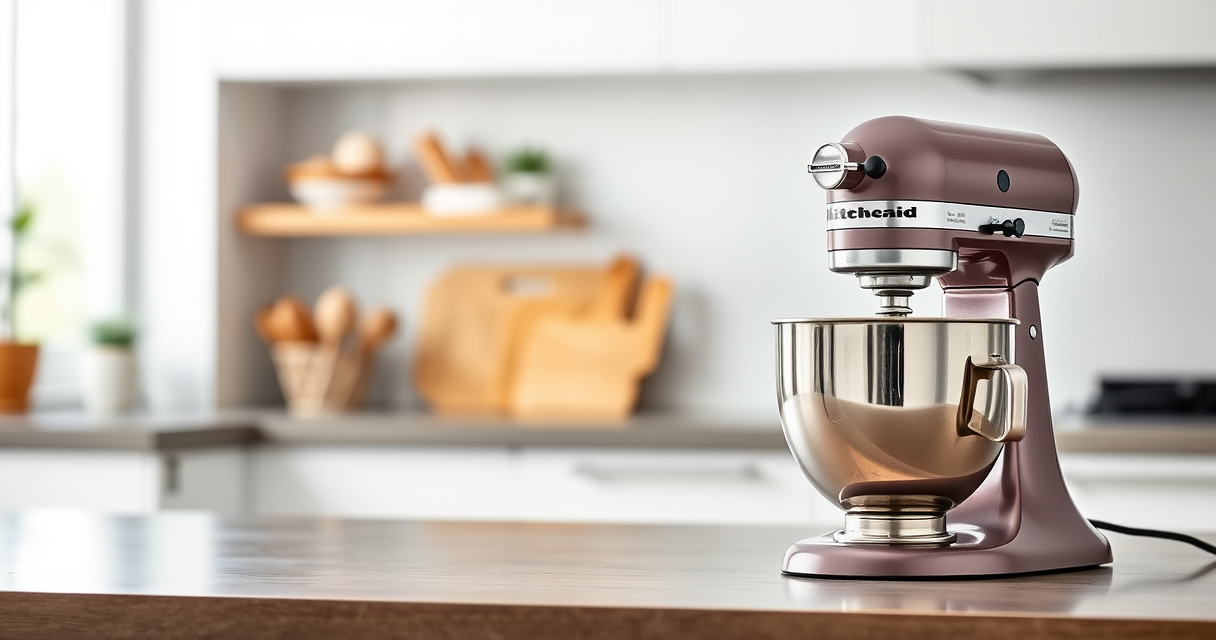
Owning a KitchenAid stand mixer is a wonderful way to enhance your baking and cooking experience. However, like any appliance, it requires regular maintenance and troubleshooting to keep it running smoothly. This guide provides practical, step-by-step advice on caring for your KitchenAid mixer, with a focus on the Stainless Steel Flat Beater (ASIN: B0GWH5HGS6) and other common issues. Whether you’re facing motor problems, attachment fit issues, or general wear and tear, you’ll find clear instructions to resolve these safely and efficiently.

Get kitchen gear delivered free with Prime
- Fast, free delivery on millions of items
- Prime Video, Amazon Music and more included
- Member-only deals all year
By following these tips, you’ll extend your mixer’s lifespan, ensure safe operation, and maintain optimal performance for all your culinary projects.
Key Takeaways
| Proper Cleaning Extends Lifespan | Regular cleaning prevents buildup and mechanical issues. |
| Check Attachment Compatibility | Ensure attachments are correctly fitted to avoid damage. |
| Address Unusual Noises Promptly | Unusual sounds may indicate misalignment or motor strain. |
| Avoid Overloading | Mixing heavy dough or large batches can strain the motor. |
| Routine Inspection Saves Costs | Regular checks help catch issues early before costly repairs. |
Initial Inspection and Basic Cleaning
- Unplug your mixer and remove all attachments, including the Stainless Steel Flat Beater. Inspect for visible dirt, food residue, or buildup.
- Wash the beater in warm, soapy water or place it in the dishwasher if dishwasher safe (as specified). Dry thoroughly before reattaching.
- Check the attachment hub and mixer head for any debris or powdery buildup. Clean with a soft, damp cloth—avoid abrasive cleaners.
- Inspect the beater for signs of bending, cracks, or rust, especially after heavy-duty use. Replace if damaged to prevent further issues.
Consistent cleaning after each use prevents residue from causing mechanical problems and ensures food safety.
Troubleshooting Common Mixer Issues
- Motor Stopping or Not Powering On: Confirm the mixer is properly plugged in and the power switch is active. Check the circuit breaker or outlet for power issues.
- Unusual Noises During Operation: Inspect attachments for correct fit. Misaligned or loose attachments can cause grinding or rattling sounds.
- Attachment Not Fitting Properly: Ensure the attachment hub is clean and free of residue. Align the attachment correctly and tighten securely.
- Motor Overheating: Avoid overloading the mixer with heavy dough or large batches. Allow the motor to cool between extended use.
Maintaining Attachments for Longevity
Proper care of attachments like the Stainless Steel Flat Beater (ASIN: B0GWH5HGS6) can significantly prolong their lifespan. Regularly inspect for wear or damage and clean thoroughly after each use. Avoid using abrasive cleaners that could scratch or degrade the metal surface. When replacing the beater, ensure it fits snugly—loose attachments can cause motor strain or mixing inefficiencies. For heavy-duty tasks like thick cookie dough or mashed potatoes, the stainless steel beater is engineered for durability, resisting bending and breaking under pressure. Using the correct attachment for each task reduces unnecessary wear and keeps your mixer performing at its best.
Safe Troubleshooting and Repair Tips
Always unplug your mixer before attempting any maintenance or troubleshooting. If the mixer experiences persistent issues such as motor failure, unusual vibrations, or persistent overheating after basic troubleshooting, consider consulting a professional repair service or contacting KitchenAid customer support. Avoid opening the motor housing yourself, as this can void warranties and pose safety risks. For minor issues like cleaning or attachment adjustments, follow the manufacturer’s instructions carefully to avoid damaging sensitive components. Regularly check the power cord and switch for signs of wear or damage, replacing if necessary to prevent electrical hazards.
Extending Your Mixer’s Life Through Routine Care
Routine maintenance is key to ensuring your KitchenAid stand mixer remains a reliable kitchen companion for years. Schedule regular inspections of all attachments and the mixer head, especially after intensive use. Keep the mixer clean and dry, and store attachments in a dry, organized space. Lubricate moving parts only if specified by the manufacturer. When not in use, cover the mixer to prevent dust accumulation. Implementing these habits safeguards against common issues and minimizes repair costs over time.
The Products in This Guide

Stainless Steel Flat Beater
- ✔ Material: Stainless Steel
- ✔ Dishwasher Safe: Yes
- ✔ Compatibility: K45SS, KSM75, KSM150

KitchenAid Stand Mixer Attachment
- ✔ Material: Metal
- ✔ Compatibility: KitchenAid mixers
- ✔ Includes: Multiple plates
Stainless Steel Flat Beater
The Stainless Steel Flat Beater (ASIN: B0GWH5HGS6) is engineered for durability, resisting bending and chipping. It’s a perfect fit for 4.5-5 Qt tilt-head KitchenAid mixers, making it an ideal replacement for worn or damaged beaters.
Pros:
- Heavy-duty durability
- Seamless compatibility
- Dishwasher safe
- No paint chipping
Cons:
- Only fits specific models
- Requires proper cleaning for longevity
- May be heavy for some users
Best for: Heavy-duty mixing tasks such as cookie dough and mashed potatoes
Not ideal for: Light mixing or delicate batters that require gentle handling
Bottom line: A durable, reliable beater ideal for heavy-duty mixer tasks.
KitchenAid Stand Mixer Attachment
The KitchenAid Food Grinder (ASIN: B07GK7XKJK) connects easily to your stand mixer, allowing you to grind fresh meats, vegetables, and more. It’s a great addition for those wanting to make sausages, ground beef, or fresh spice blends, with multiple grind plates included.
Pros:
- Versatile grinding options
- Easy to clean
- Includes sausage stuffer tubes
- Durable metal construction
Cons:
- Requires refrigerator-chilled ingredients for best results
- Attachment needs proper cleaning after use
- Additional storage space needed
Best for: Fresh meat, vegetables, and spice grinding
Not ideal for: Grinding large quantities without breaks, or for very soft ingredients
Bottom line: A robust attachment for fresh grinding needs in your kitchen.
Frequently Asked Questions
How do I clean the Stainless Steel Flat Beater?
Remove the beater from your mixer and wash it in warm, soapy water or place it in the dishwasher if safe. Dry thoroughly before storing or reattaching.
What should I do if my mixer makes unusual noises?
Check that attachments are properly fitted and not loose. Clean the attachment hub and avoid overloading the mixer to prevent strain.
How often should I inspect my mixer and attachments?
Perform a quick inspection after each use, checking for damage or residue buildup. Schedule a detailed cleaning monthly or after heavy use.
My mixer is overheating during use. What should I do?
Turn off and unplug the mixer. Let it cool down before resuming. Reduce load and avoid mixing heavy dough for extended periods.
Can I replace my attachment if it’s damaged?
Yes, ensure you purchase the correct fit for your model. The Stainless Steel Flat Beater (ASIN: B0GWH5HGS6) is a reliable replacement for compatible models.
Keep Your KitchenAid Running Smoothly with Proper Care
Maintaining your KitchenAid stand mixer is straightforward when you follow simple cleaning and troubleshooting steps. Regular inspections, proper attachment care, and attentive use help prevent issues and extend the appliance’s life. With the right accessories, like the durable Stainless Steel Flat Beater, you can tackle heavy-duty tasks confidently. Remember, prompt attention to problems and routine maintenance will keep your mixer performing at its best for years to come.
Affiliate disclosure: As an Amazon Associate we earn from qualifying purchases. Prices and availability are accurate as of the time of publishing.
Halloween Picks
halloween
As an affiliate, we earn on qualifying purchases.