Managing multiple smart kitchen gadgets can quickly become overwhelming, especially with each device having its own app. To simplify control, consider using a centralized platform or ecosystem that connects all your devices seamlessly. Voice commands through assistants like Alexa or Google can also make managing gadgets easier. Regular updates and choosing compatible devices prevent frustrations. Want to learn how to streamline your smart kitchen setup? Keep exploring to discover effective solutions.
Key Takeaways
- Use a centralized smart home hub or ecosystem to unify control of all kitchen devices.
- Opt for devices supporting open standards and compatibility to reduce app clutter.
- Integrate voice assistants like Alexa or Google for hands-free, multi-device control.
- Regularly update device firmware and software to enhance communication and functionality.
- Simplify management by consolidating controls through compatible apps and automation routines.
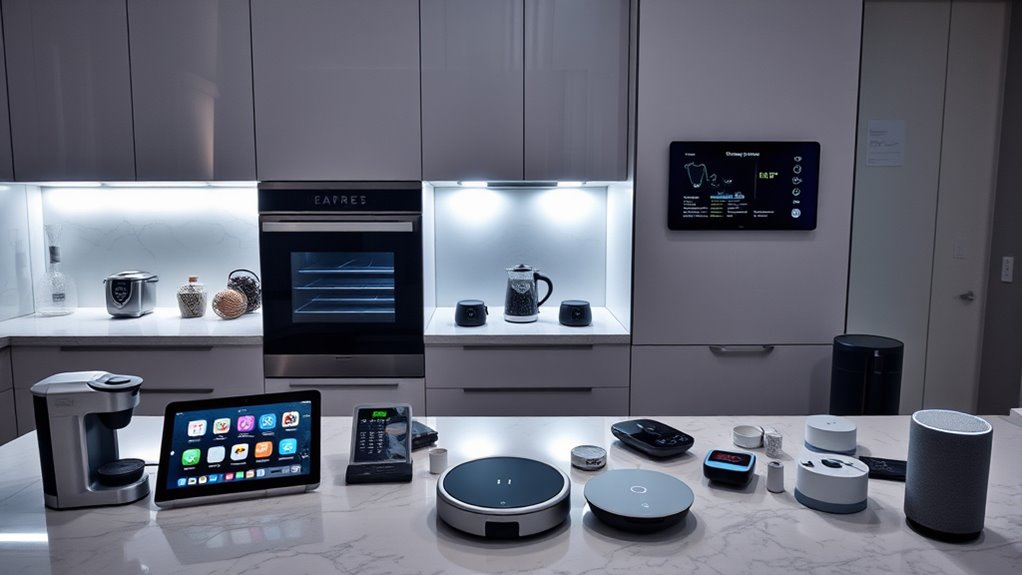
In today’s smart kitchens, controlling all your gadgets has become simpler than ever. Gone are the days of juggling multiple remote controls or fumbling through complicated menus. Instead, you can manage everything seamlessly with voice commands and app integration. This evolution makes your kitchen more efficient and enjoyable, but it also introduces new challenges—especially when you’re faced with an overload of apps. With so many devices from different brands, each often requiring its own app, it’s easy to feel overwhelmed.
The key to simplifying your smart kitchen experience lies in effective app integration. When your gadgets can communicate with each other through a unified platform, you don’t have to switch between multiple apps to control different devices. Instead, you set up a central hub or use compatible ecosystems that allow for smooth interaction between your smart appliances. For example, connecting your smart oven, refrigerator, and lighting system under one app or voice assistant streamlines control and reduces the frustration of managing separate interfaces. This integration not only saves time but also makes automation possible—like starting your coffee maker and preheating the oven with a single command.
Voice commands further enhance this convenience by allowing you to control your gadgets hands-free. Instead of pulling out your phone or tapping through menus, you can simply speak to your smart speaker or voice assistant. Phrases like “Turn on the kitchen lights,” “Set the oven to 350 degrees,” or “Play music while I cook” become second nature. Voice commands are particularly useful when your hands are busy or messy, providing a quick and intuitive way to manage your smart appliances. To maximize this feature, ensure that your devices are compatible with popular voice assistants like Amazon Alexa, Google Assistant, or Apple’s Siri, and that they’re integrated into a unified system. Effective app integration helps prevent device incompatibility issues, making your smart kitchen experience smoother and more reliable.
However, to truly harness the benefits of voice commands and app integration, you need to choose devices that support open standards and compatibility. Not all gadgets play nicely together, so doing some research beforehand helps prevent frustration. Also, keep your software and firmware up to date, as manufacturers often release updates that improve integration and add new features. With the right setup, controlling your smart kitchen becomes effortless—your appliances work harmoniously, responding to your voice and commands across a single platform. While managing multiple apps can be intimidating at first, investing time in integration pays off by transforming your kitchen into a truly smart, intuitive space.

Amazon Echo Show 15 (newest model), Full HD 15.6" kitchen hub for home organization, with built-in Fire TV, Designed for Alexa+
- Display Size: 15.6-inch Full HD touchscreen
- Video Calling: Natural video calls with 3.3x zoom
- Home Organization: Widgets for calendars, weather, smart home
As an affiliate, we earn on qualifying purchases.
As an affiliate, we earn on qualifying purchases.
Frequently Asked Questions
How Do I Ensure My Smart Kitchen Gadgets Stay Secure From Hacking?
To keep your smart kitchen gadgets secure from hacking, you should use strong encryption techniques and enable robust user authentication. Regularly update your device firmware and passwords, avoiding default settings. Also, connect gadgets to a separate, secured network and disable unnecessary features. These steps help prevent unauthorized access, ensuring your smart kitchen remains safe and your personal data protected.
Can I Integrate Non-Smart Appliances Into My Smart Kitchen System?
Imagine your favorite non-smart oven responding to your voice commands, seamlessly blending into your smart kitchen. You can manually integrate these appliances using smart plugs or hubs, which act as a bridge. This enables voice control and automation for your non-smart gadgets. With a little setup, your entire kitchen becomes a unified, intelligent space—no need for new devices, just smart solutions to connect what you already own.
What’s the Best Way to Organize Multiple App Controls Effectively?
You should focus on device grouping and app consolidation to organize your controls effectively. Use a smart hub or platform that allows you to group similar devices, so you manage multiple gadgets through a single interface. This reduces app clutter and simplifies control. Regularly update your apps and remove unused ones to streamline your setup. Combining these strategies helps you stay organized and keeps your smart kitchen running smoothly.
How Do I Troubleshoot Connectivity Issues Between Devices?
Imagine your smart oven isn’t responding; you suspect signal interference. To troubleshoot device connectivity, check for obstacles like thick walls or other electronics causing interference. Restart devices and guarantee all firmware is up-to-date. Use device troubleshooting steps such as resetting your Wi-Fi router or moving devices closer. These actions help eliminate signal interference, restoring smooth communication between your gadgets and reducing frustration with connectivity issues.
Are There Universal Apps That Can Control All Brands of Kitchen Gadgets?
Yes, some universal apps offer cross-brand compatibility, allowing you to control multiple kitchen gadgets seamlessly. However, app integration challenges can arise because not all brands support these platforms equally. You might find that certain devices work better with specific apps, so it’s wise to check device compatibility before committing. Using a universal app can simplify your smart kitchen, but stay aware of potential limitations due to compatibility issues.

EIGHTREE Smart Plug WiFi Outlet Works with Alexa & Google Home, 15A, 4-Pack
- Voice Control Compatibility: Works with Alexa and Google Assistant
- App Setup Requirement: Connect via Smart Life app first
- Easy Installation: Bluetooth auto-detects the plug
As an affiliate, we earn on qualifying purchases.
As an affiliate, we earn on qualifying purchases.
Conclusion
Managing all your smart kitchen gadgets can feel overwhelming, but don’t throw in the towel just yet. With a bit of organization and the right hub, you can tame the chaos and turn your kitchen into a seamless, efficient space. Remember, Rome wasn’t built in a day—so take it one step at a time. Soon enough, you’ll be controlling everything effortlessly, proving that sometimes, less truly is more in the world of smart tech.

MOES WiFi Smart IR Remote Controller Smart Home Infrared Universal Remote Blaster,One for All Control AC TV DVD CD AUD SAT etc,Compatible with Alexa and Google Assistant,No Hub Required
- Includes UL Certified Adapter and USB Cable: Plug into socket or USB port
- Supports 2.4G WiFi Only: Wireless connection for remote control
- Universal IR Control: Controls AC, TV, DVD, CD, SAT, and more
As an affiliate, we earn on qualifying purchases.
As an affiliate, we earn on qualifying purchases.

Home Power Saver Plug, Energy Saving Box with Voltage Stabilizer & Power Factor Optimization, Smart Power Saving Device for Home, Office, RV, Plug-and-Play Household Electricity Saver, 2 Pack
- Protects appliances: Safeguards home, office, RV devices
- Voltage stabilization: Maintains consistent voltage for efficiency
- Plug-and-play design: Easy to use without installation
As an affiliate, we earn on qualifying purchases.
As an affiliate, we earn on qualifying purchases.