Factory resetting your smart appliances is useful when troubleshooting issues, resolving glitches, or preparing the device for resale or gifting. You should reset them if they become unresponsive, slow, or lose connectivity. Use the manufacturer’s instructions, as different devices require varying methods, such as button presses or app commands. Doing it correctly clears your personal data and restores the device. Keep exploring to find out the best steps to perform a successful reset.
Key Takeaways
- Reset smart appliances to troubleshoot issues, erase data before resale, or restore factory settings.
- Follow specific manufacturer instructions to ensure proper reset procedures and avoid device damage.
- Confirm the device supports reset methods, such as button presses or app commands, for successful reset.
- Reconnect the device to Wi-Fi and reconfigure settings after resetting to ensure proper operation.
- Consult guidelines to prevent incomplete resets, data leaks, and ensure security when resetting or selling appliances.
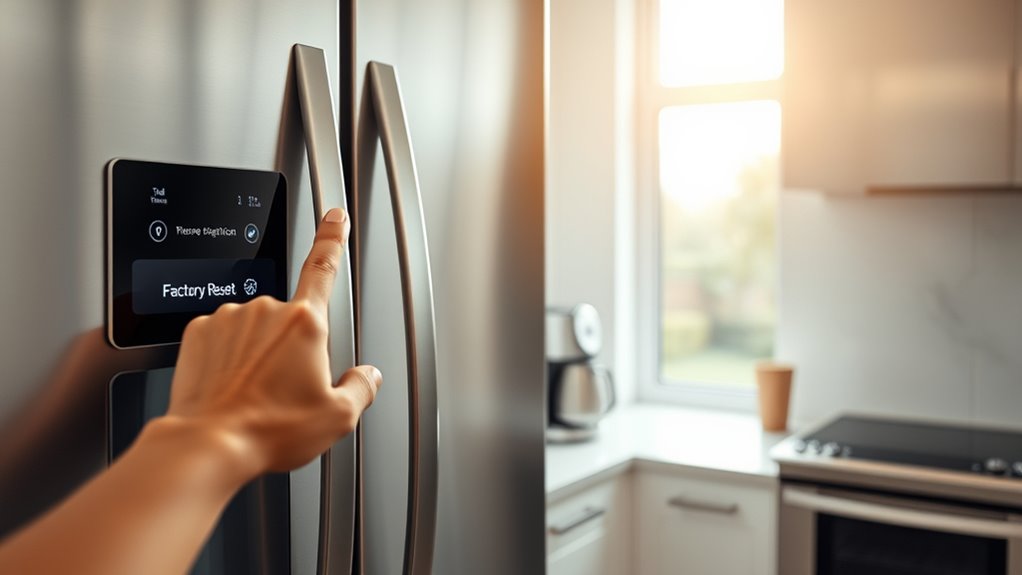
Factory resetting your smart appliances is a straightforward way to troubleshoot issues, erase personal data, or prepare devices for resale. When you perform a reset, it restores the appliance to its original factory settings, which can often resolve glitches or connectivity problems. However, before hitting the reset button, it’s important to consider potential security concerns. Resetting clears stored data, but some devices might retain certain information or settings that could pose a security risk if not properly wiped. Make sure to review your manufacturer’s instructions to ensure that personal data is fully removed, especially if you’re planning to sell or give away the appliance. This extra step helps prevent unauthorized access to your information. Device compatibility is another critical factor to keep in mind when resetting your smart appliances. Different devices have varying reset procedures, and not all resets are created equal. Some appliances may require a simple button press, while others demand a combination of buttons or navigating through app settings. If you don’t follow the correct process, the device might not reset properly, leading to further troubleshooting or compatibility issues. Additionally, after a reset, you’ll often need to set up the device again from scratch, including reconnecting it to your Wi-Fi network and reconfiguring any preferences. Making sure that your device supports the reset process and reinitializes correctly will save you time and frustration. Understanding how to perform a reset properly can prevent potential issues and ensure your smart appliances function as intended. When you decide to reset, double-check that your device is compatible with the reset method. For instance, some older appliances might not have a dedicated reset button or might require firmware updates to reset properly. It’s also wise to consult the manufacturer’s guidelines to confirm the proper steps, especially if you’re dealing with complex systems like smart thermostats or security cameras. Doing so helps avoid issues like incomplete resets or bricking the device, which can sometimes happen if the reset process isn’t followed accurately.

Smart Caregiver Wireless Reset Button for Central Monitor & Wireless Alarms
- Remote Reset for Monitors: Reset alarms from up to 100 feet away
- Requires Programming: Must be programmed to your monitor first
As an affiliate, we earn on qualifying purchases.
As an affiliate, we earn on qualifying purchases.
Frequently Asked Questions
Can Factory Resetting Erase All Saved Wi-Fi Networks?
Yes, a factory reset will erase all saved Wi-Fi networks from your smart appliance. This means you’ll need to reconfigure your network settings afterward, which impacts Wi-Fi security temporarily. By doing a reset, you effectively remove stored network information, prompting you to set up your device again. This process guarantees your device connects securely with your preferred network, but it requires network reconfiguration to restore seamless operation.
Will Resetting Delete Personalized Settings and Preferences?
When you reset your smart appliance, it deletes personalized settings, data privacy preferences, and custom configurations. You lose tailored preferences, saved data, and customized features, returning the device to its original factory state. Resetting is like wiping a slate clean, so if you want to safeguard your data privacy or start fresh, it’s the right move. Just remember, it’s a complete reset—so back up anything important first.
How Often Should I Factory Reset My Smart Appliances?
You should generally reset your smart appliances only when necessary, such as troubleshooting issues or after major updates. Follow the frequency guidelines provided by the manufacturer, which usually recommend a reset every few months or if you notice performance problems. Avoid excessive resets, as they can erase personalized settings and disrupt device functionality. Keep a regular reset schedule aligned with these guidelines to maintain peak performance without losing your preferences.
Is It Safe to Reset Appliances During Firmware Updates?
It’s generally not safe to reset appliances during firmware updates, as this can cause a firmware rollback or corrupt the update. You might think it’s harmless, but interrupting a firmware process risks bricking your device or losing important data. Instead, wait until the update completes, then perform a hardware reset if needed. This guarantees your smart appliance stays functional and avoids unnecessary complications or the need for a full factory reset.
Do All Brands Support Factory Resetting Through App Controls?
Not all brands support factory resetting through app controls; it depends on their app compatibility and specific reset procedures. Some brands, like Samsung or LG, allow you to reset appliances via their apps, while others may require manual resets. To guarantee you can reset your device easily, check the manufacturer’s instructions or app features. Knowing the reset procedures helps you troubleshoot issues quickly and keep your appliances running smoothly.

Sensi Lite Smart Thermostat, WiFi, Alexa, DIY, Energy Star Certified, ST25
- Easy DIY Installation: Built-in level and step-by-step instructions
- Compatible with Most HVAC Systems: Requires common wire for heat pump systems
- Energy Savings: Save about 23% on HVAC energy costs
As an affiliate, we earn on qualifying purchases.
As an affiliate, we earn on qualifying purchases.
Conclusion
Factory resetting your smart appliances is like giving them a fresh start, clearing out old data, and making way for new possibilities. It’s a reset button for your devices, a pause button for frustration, and a clean slate for better performance. When you reset, you’re wiping away the clutter, clearing the confusion, and opening the door to smoother operation. Embrace the reset, and watch your smart home become simpler, smarter, and more responsive.

Security Cameras Wireless Outdoor 5G& 2.4G, No Subscription, 2 Cam-Kit,4MP Solar Powered Home Security Cameras System With 360°PTZ,128GB Local Storage,Color Night Vision WiFi Cameras for Home Security
- No Subscription Required: Lifetime free local storage with 128GB
- Secure Local Storage: Encrypted recordings stored on home hub
- High-Resolution Video: 4MP clear color night vision
As an affiliate, we earn on qualifying purchases.
As an affiliate, we earn on qualifying purchases.

ZORZA 3Pcs Inductance and Capacitance Detector Tool Electronic Coil Tester Electromagnetic Induction Fault Check Tool Set for Phone Motherboard Repairs and Home Appliances & Smartphone Servicing
- Easy capacitor and inductor testing: Quickly test electronic components
- Green light indicator for status: Clear visual confirmation of operation
- Wide application for electronics: Suitable for motherboards and appliances
As an affiliate, we earn on qualifying purchases.
As an affiliate, we earn on qualifying purchases.