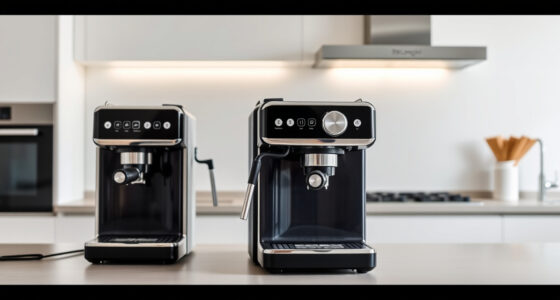
To make your dumb coffee maker smart, plug it into a compatible smart plug connected to Wi-Fi. Use the app to set schedules, turn it on remotely, or automate brewing routines. Make certain the smart plug supports your Wi-Fi network and voice assistants like Alexa or Google Assistant for added convenience. With the right setup, you can enjoy fresh coffee with minimal effort—keep going to discover more tips for seamless automation.

Get kitchen gear delivered free — and shop member deals
- Fast, free delivery on millions of items
- Access to Prime Big Deal Days deals on October 6–7
- Prime Video, Amazon Music and more included
Key Takeaways
- Plug your coffee maker into a compatible smart plug connected to Wi-Fi for remote control.
- Download and set up the smart plug’s app, then pair it with your home Wi-Fi network.
- Schedule automated brew times via the app to start coffee automatically each morning.
- Ensure the smart plug supports your coffee maker’s power requirements and voice assistant integration.
- Use routines to combine the smart plug with other smart devices for seamless, automated mornings.
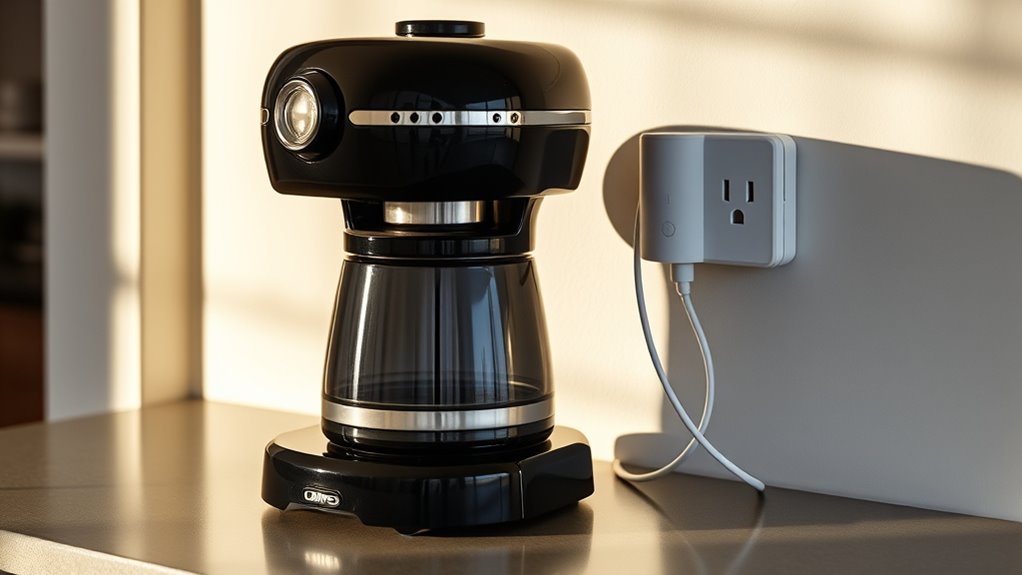
If your coffee maker is just a basic machine that brews coffee when you press a button, you’re missing out on convenience and control. With a smart plug, you can transform that simple device into a fully automated coffee station. The process begins with a straightforward manual setup. You’ll need to plug your coffee maker into the smart plug, which connects directly to your Wi-Fi network. Once connected, you can control the device using a smartphone app, allowing you to schedule brew times or turn the machine on remotely. The setup isn’t complicated, but it’s vital to verify the smart plug is compatible with your Wi-Fi network and that the app supports your device. Many smart plugs are compatible with both iOS and Android, making device compatibility generally hassle-free.
The manual setup involves plugging in the smart device, downloading the app, and following the instructions to connect it to your home Wi-Fi. Most smart plugs will require you to create an account, then pair the device via Bluetooth or Wi-Fi. After pairing, you’ll assign a name to your smart plug—something like “Coffee Maker”—so you can easily identify it in your app. Once set up, you can schedule your coffee to brew at a specific time each morning or turn it on remotely when you’re still in bed. This automation makes your mornings smoother and guarantees your coffee is ready when you want it, without any manual pressing of buttons.
Additionally, understanding the importance of device compatibility can help ensure your smart plug functions seamlessly with your existing smart home ecosystem, avoiding potential connectivity issues. Device compatibility is a vital factor. You want to make sure your smart plug works seamlessly with your Wi-Fi network and that the app is compatible with your smartphone’s operating system. Most popular smart plugs support voice assistants like Alexa or Google Assistant, adding even more convenience. Before purchasing, check the device specifications to confirm compatibility with your existing smart home ecosystem. Also, verify your coffee maker doesn’t have any unusual power requirements, as some smart plugs are designed for specific wattages.
Once everything is set up, using your smart plug becomes effortless. You can automate brewing times, turn your coffee maker on from anywhere, or even set routines that combine other smart devices. This simple upgrade provides a higher level of control and convenience, making your daily coffee routine smarter without needing to replace your entire machine. With a bit of manual setup and some attention to device compatibility, you’re well on your way to enjoying freshly brewed coffee on your schedule, all managed through your smartphone or voice commands.
As an affiliate, we earn on qualifying purchases.
Frequently Asked Questions
Can Smart Plugs Handle High Wattage Coffee Makers Safely?
Smart plugs can generally handle high wattage coffee makers if you check the device compatibility and power ratings. However, be cautious of power surges that could damage your smart plug or coffee maker. Always verify the maximum wattage the smart plug supports before plugging in your coffee maker. Using a compatible, high-quality smart plug designed for high wattage devices will keep things safe and prevent potential issues.
Do Smart Plugs Work With All Types of Coffee Machines?
Smart plugs are like universal adapters for your coffee machine, but they don’t work with all types. You’ll find some limitations based on coffee machine compatibility—especially with high-tech, digital, or espresso models that need specific controls. Always check the smart plug’s limitations and your coffee maker’s power requirements before plugging them together. This way, you avoid surprises and keep brewing smooth as your favorite song.
Is There a Delay or Lag When Using Smart Plugs for Brewing?
You might notice a slight delay when using smart plugs for brewing, but it’s usually minimal. To guarantee accurate timing and lag prevention, set your schedule carefully and use a reliable smart plug with good timing accuracy. Keep in mind that some lag can occur due to Wi-Fi connection or device processing, but overall, with proper setup, you’ll enjoy auto-brew convenience without significant delays.
How Do I Troubleshoot Connectivity Issues With the Smart Plug?
Ever feel like your smart plug is playing hide-and-seek? To troubleshoot connectivity issues, first check for Wi-Fi interference from other devices or thick walls. Make sure your smart plug’s firmware is up to date—outdated firmware can cause glitches. Reboot your router and reconnect the smart plug. If problems persist, reset the plug and reconnect it to your Wi-Fi network. These steps should clear the path for seamless auto-brew mornings.
Can Smart Plugs Be Controlled Remotely Without Internet?
Smart plugs generally require an internet connection for remote control, so they can’t be controlled remotely without it. However, some models support offline operation with a physical switch, allowing you to control them locally without Wi-Fi. If remote control is essential, you’ll need an internet connection. Without Wi-Fi, you can still turn the smart plug on or off manually via the device’s physical button, but remote access isn’t possible.
As an affiliate, we earn on qualifying purchases.
Conclusion
With a smart plug, turning your dumb coffee maker into a smart one is simple and affordable. Sure, some might worry about it malfunctioning or brewing unexpectedly, but imagine waking up to the smell of fresh coffee, automatically brewed and ready to enjoy. You avoid the hassle of rushing in the morning or forgetting to start your brew. It’s a small change that makes your mornings smoother, more convenient, and just a little smarter.
As an affiliate, we earn on qualifying purchases.
As an affiliate, we earn on qualifying purchases.
Fall Picks
fall essentials
As an affiliate, we earn on qualifying purchases.