If your Keurig K-Mini is brewing coffee that tastes off or stale, it’s often due to mineral buildup, residue, or improper cleaning. Regular maintenance and proper descaling can restore the flavor and performance of your machine.
Follow this clear, step-by-step guide to troubleshoot common issues and enjoy fresh, delicious coffee every time.
Key Takeaways
| Regular Descaling | Removes mineral buildup that affects taste. |
| Clean Residue | Rinsing the brew mechanism prevents flavor carry-over. |
| Use Quality Water | Filtered water reduces mineral deposits. |
| Check for Mold & Debris | Ensures hygienic brewing environment. |

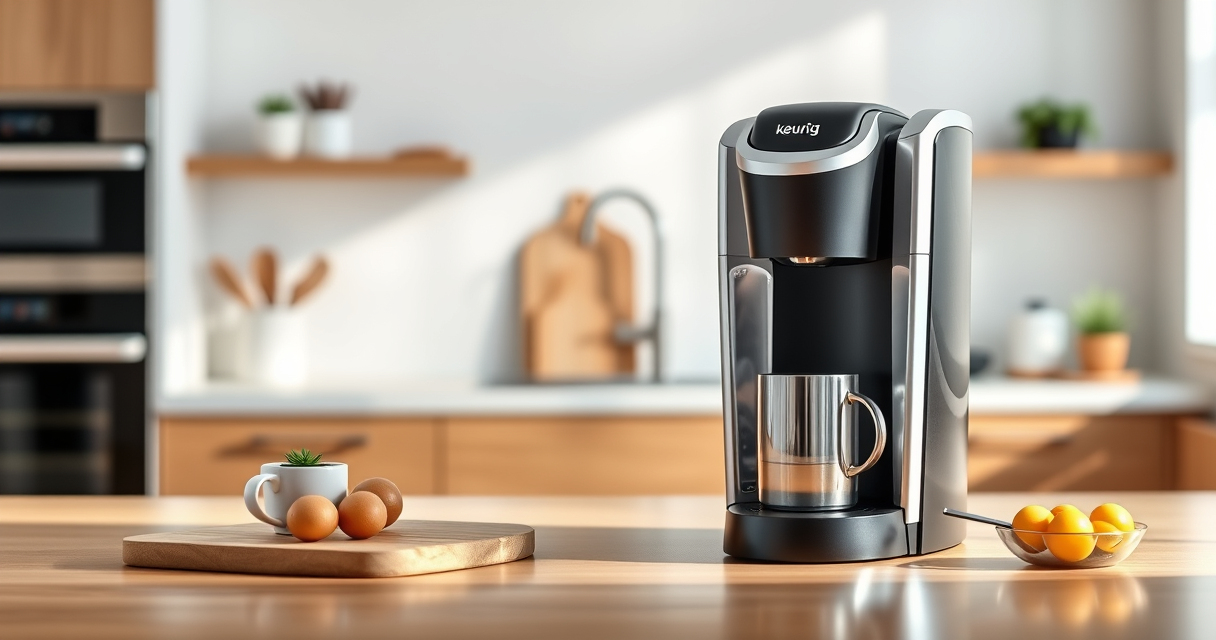
Keurig K-Mini Single Serve K-Cup Pod Coffee Maker, 6 to 12oz Brew size, with Cord Storage, Perfect for Small Spaces, Black
- Compact Design: Fits spaces less than 5 inches wide
- Custom Brew Sizes: Brew 6-12oz cups with Keurig pods
- Removable Water Reservoir: Add fresh water for each brew
As an affiliate, we earn on qualifying purchases.
Step 1: Empty and Rinse the Water Reservoir
- Remove the water reservoir from your Keurig K-Mini.
- Empty any remaining water and rinse thoroughly with clean water.
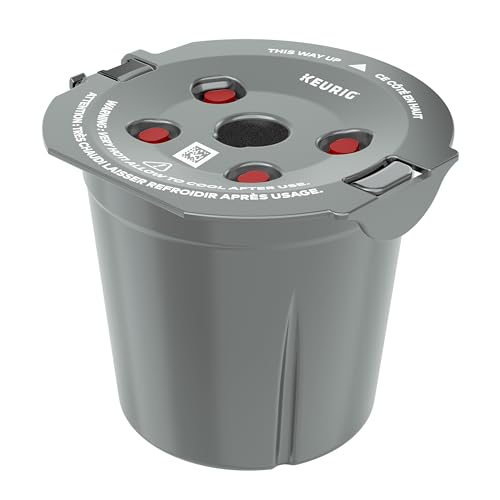
My K-Cup® Reusable Coffee Filter
- Brew with Ground Coffee: Use your favorite ground coffee
As an affiliate, we earn on qualifying purchases.
Step 2: Clean the Brew Area and Needle
- Use a paperclip or needle to carefully clean the needle that punctures the K-Cup to remove any blockages.
- Wipe the brew area with a soft, damp cloth to remove residue or mold.
Step 3: Descale the Machine
Use a descaling solution or a mixture of equal parts white vinegar and water. Fill the water reservoir with the solution.
Run a brewing cycle without a K-Cup, then repeat with clean water to rinse thoroughly.
Step 4: Run a Cleaning Cycle with Rinse Pods
Insert a Keurig rinse pod (or a similar cleaning pod) and brew a cycle to clear out any remaining residue or oils.
This helps improve the flavor of subsequent brews.
Step 5: Use Filtered or Fresh Water for Brewing
Always use filtered or fresh water to prevent mineral deposits and ensure better taste.
Replace the water filter cartridge if your model uses one, following manufacturer instructions.
The Products in This Guide

Keurig K-Mini Single Serve K-Cup Pod Coffee Maker
- ✔ Weight: 5.1 lbs
- ✔ Cord Storage: Yes
- ✔ Removable Drip Tray: Yes

My K-Cup® Reusable Coffee Filter
- ✔ Dishwasher Safe: Yes
- ✔ Filter Type: Reusable mesh
- ✔ Color Options: Black, Clear
Keurig K-Mini Single Serve K-Cup Pod Coffee Maker
The Keurig K-Mini is an excellent compact coffee maker, and regular cleaning with the right techniques can keep it tasting fresh. Descaling and cleaning are essential to prevent bad flavors caused by mineral buildup and residue.
Pros:
- Compact and space-saving
- Easy to clean and maintain
- Brews quickly
- Compatible with reusable filter
Cons:
- Requires regular descaling
- Limited brew size options
- Not suitable for large quantities
Best for: Small spaces and quick, fresh brews
Not ideal for: Large families or frequent high-volume brewing
Bottom line: Regular maintenance ensures consistent, great-tasting coffee from your Keurig K-Mini.
My K-Cup® Reusable Coffee Filter
Using the My K-Cup® Reusable Coffee Filter allows you to brew your favorite ground coffee, which can lead to fresher and more flavorful beverages. Pair it with regular cleaning for optimal taste.
Pros:
- Customizable coffee blends
- Cost-effective
- Reduces waste
- Compatible with K-Mini
Cons:
- Requires regular cleaning
- Some mess during filling
- May need extra rinsing
Best for: Personalized coffee preferences
Not ideal for: Convenience-only users
Bottom line: A versatile addition for those who prefer ground coffee with their Keurig.
Frequently Asked Questions
Why does my Keurig taste bad even after cleaning?
Mineral deposits and old residue can cause bad flavors. Descaling and thorough cleaning of the needle and brew area can restore taste.
How often should I descale my Keurig K-Mini?
It’s recommended to descale every 3-6 months, depending on your water hardness and usage frequency.
Can I use vinegar to descale my Keurig?
Yes, a mixture of equal parts white vinegar and water works as a natural descaling solution. Rinse thoroughly afterward.
What is the best way to clean the needle?
Carefully insert a paperclip or needle cleaner into the needle to dislodge any blockages, then run a rinse cycle.
Keep Your Keurig K-Mini Brewing Fresh
Regular cleaning and descaling are key to preventing bad tastes and maintaining your Keurig’s performance. With simple steps like rinsing, using the right water, and cleaning the needle, you can enjoy fresh, flavorful coffee every time.
Affiliate disclosure: As an Amazon Associate we earn from qualifying purchases. Prices and availability are accurate as of the time of publishing.