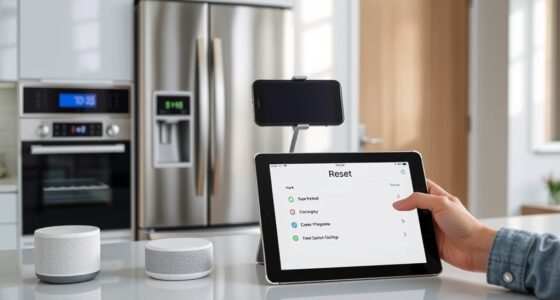
When your kitchen gadget fails during meal prep, don’t panic. Try simple fixes like unplugging, waiting a few moments, and restarting your device. If problems persist, check for loose connections or debris. You can also switch to manual methods, such as chopping ingredients by hand or using traditional cookware. Regular maintenance helps prevent future issues. For more tips on quick troubleshooting and alternative techniques, keep exploring ways to keep your meal on track.
Key Takeaways
- Have backup cooking plans, like stovetop or oven methods, in case the gadget fails.
- Use manual controls or alternative appliances to continue preparing your meal.
- Check and troubleshoot the device quickly—reset, unplug, or clean to restore function.
- Salvage partially cooked food by transferring it to a working appliance or finishing on the stove.
- Keep emergency tools such as thermometers and timers handy to monitor and control cooking manually.
Gadget failures can strike unexpectedly, disrupting your daily routine and causing frustration. When your kitchen tech suddenly stops working during meal prep, it’s easy to feel overwhelmed. But before you panic or reach for the phone to call for help, try some manual troubleshooting. Often, a simple reset or checking for loose connections can resolve the issue. For example, if your smart oven isn’t heating properly, turn it off, unplug it, and wait a few minutes before restarting. This straightforward step can clear minor glitches without the need for professional repairs. Familiarity with appliance maintenance can make these quick fixes second nature, saving you time and preventing bigger problems down the line. It’s a good idea to keep your appliances clean and well-maintained, as dust, grease, or worn-out parts can cause malfunctions. Regularly wiping down surfaces, checking for loose wires, and replacing worn filters can help keep your tech in top shape. When troubleshooting, always consult the user manual if available; it often contains troubleshooting tips specific to your device. Learning how your appliances work and performing routine maintenance will empower you to address many issues on your own. Additionally, understanding trusted resources for appliance repair can guide you toward professional assistance if needed.
Sometimes, manual troubleshooting can reveal underlying problems that require more than just resetting. For instance, if your blender isn’t turning on, inspect the power cord and socket for damage or loose connections. If the appliance still doesn’t work, consider whether it’s due to a blown fuse or an internal component failure. In such cases, a little appliance maintenance—like replacing a fuse or worn-out switch—can extend its lifespan. If you’re comfortable, open the device carefully to look for obvious issues; otherwise, seeking professional help might be the best route. Recognizing common signs of trouble early, such as strange noises or inconsistent performance, can help you catch issues before they cause complete failure.
Frequently Asked Questions
How Can I Prevent Future Gadget Failures During Meal Prep?
To prevent future gadget failures during meal prep, focus on preventive maintenance by regularly cleaning and servicing your appliances. Always perform quality assurance checks before starting cooking, ensuring all devices are functioning correctly. Keep backup tools or manual options handy, and avoid overloading gadgets to prevent strain. These steps help maintain your equipment’s reliability, reducing the risk of failures and ensuring a smoother, stress-free cooking experience.
What Are Quick Backup Tools to Use if My Gadget Fails?
When it comes to kitchen mishaps, remember, “better safe than sorry.” Keep manual alternatives and emergency tools handy, like a good old-fashioned recipe book, a timer, or a simple scale. These quick backup tools let you continue cooking without tech, saving your meal. Stockpile some basic utensils and a manual mixer so you’re prepared for gadget failures, ensuring you’re never caught off guard in the middle of meal prep.
How Do I Troubleshoot Common Electronic Kitchen Device Issues?
You can troubleshoot common electronic kitchen device issues by first checking power connections and ensuring the device is plugged in properly. For smart appliance troubleshooting, consult the user manual or app for error codes and reset instructions. Regular kitchen device maintenance, like cleaning sensors and updating firmware, helps prevent problems. If issues persist, disconnect and restart the device or contact customer support to avoid damaging your gadget during troubleshooting.
Are There Manual Alternatives to Automated Cooking Gadgets?
Sure, because nothing beats the charm of manual methods when your gadgets fail. You can always rely on traditional techniques like stovetop simmering, hand-mixing, or slow-cooking in a Dutch oven. These alternative techniques not only save your meal but also reconnect you with the basics. So, next time your tech turfs out, embrace the simplicity—your taste buds might thank you for it.
How Long Should I Wait Before Replacing a Malfunctioning Device?
You should wait about a month for device repair before replacing a malfunctioning gadget. During this period, monitor its performance closely and try troubleshooting or seeking professional repair services. If your device shows no signs of improvement or if repair costs approach or exceed the replacement timelines, it’s smarter to replace it instead of investing more time and money. Prioritize safety and functionality to avoid further inconvenience.
Conclusion
When tech fails, don’t panic—you’ve got options. Imagine you’re mid-meal prep, and your blender stops working. Instead of abandoning your dish, you switch to manual chopping and stovetop simmering. Just like Lisa, who faced a broken oven but still served a delicious homemade pizza by using her grill. Sometimes, a gadget glitch forces you to get creative, turning a setback into a memorable moment. Stay flexible, and your meal will still shine.