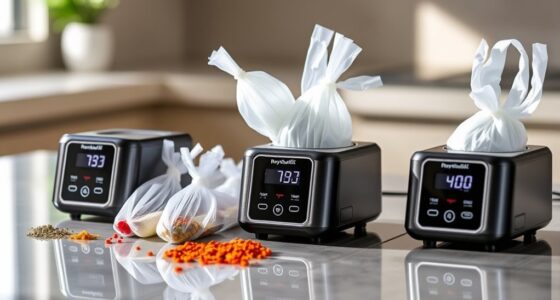
If you’re looking to streamline your kitchen routines in 2026, I’ve found some amazing smart home buttons that make life easier. From the Bluetooth Fingerbot Touch that works with Alexa to the BroadLink Wireless Smart Button allowing for scene control, these devices can automate various tasks. There are options like the MOES Fingerbot Plus for app control and the SwitchBot for traditional switches. Stick around to see my complete list of top picks and their features!
Key Takeaways
- Smart home buttons like the Bluetooth Fingerbot Touch and BroadLink Wireless Smart Button offer easy control of kitchen appliances through apps and voice assistants.
- Philips Hue Wall Tap Dial and arre Smart Button enable intuitive lighting and scene management, enhancing kitchen atmosphere with customizable controls.
- Wireless options like SONOFF Zigbee Switch and Flic Smart Button provide extensive integration with smart ecosystems for seamless automation and device compatibility.
- Installation is made simple with tool-free setups, allowing for quick mounting on various surfaces without professional help.
- Long battery life and automation features enable efficient kitchen routines, minimizing maintenance while maximizing convenience and energy efficiency.
| Bluetooth Fingerbot Touch Smart Button for Alexa |  | Best Smart Control | Control Method: App control (Bluetooth) | Wireless Connectivity: Bluetooth 5.0 | Battery Type: Type-C rechargeable | VIEW LATEST PRICE | See Our Full Breakdown |
| BroadLink Wireless Smart Button Scene Switch | 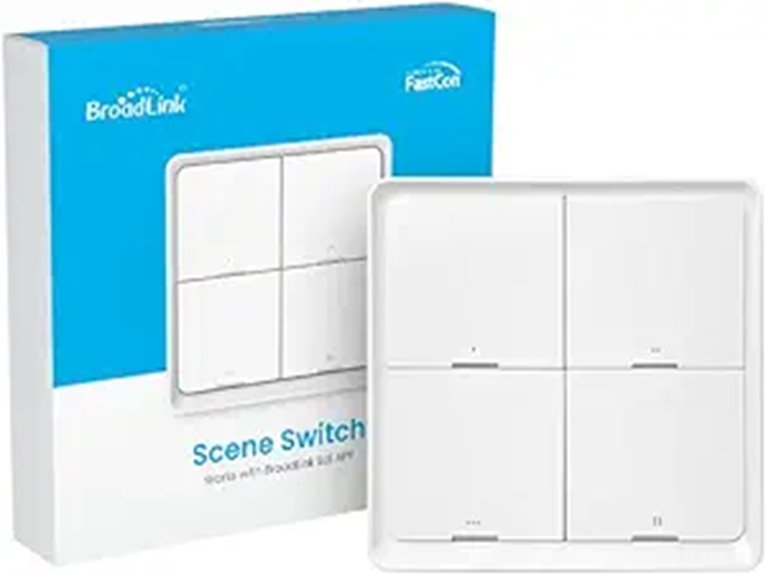 | Simplest Setup | Control Method: App control (BroadLink FastCon) | Wireless Connectivity: Wireless (BroadLink FastCon) | Battery Type: CR2430 (replaceable) | VIEW LATEST PRICE | See Our Full Breakdown |
| MOES Fingerbot Plus Smart Button Pusher with App | 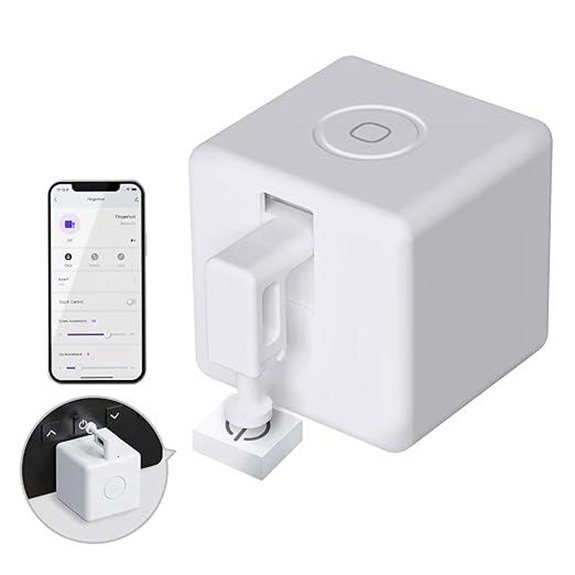 | Enhanced Compatibility | Control Method: App control (Smart Life) | Wireless Connectivity: Bluetooth (Tuya Hub) | Battery Type: CR2 (replaceable) | VIEW LATEST PRICE | See Our Full Breakdown |
| Smart Switch Button Pusher with App Control |  | Most Versatile | Control Method: App control (Smart Life/Tuya) | Wireless Connectivity: Bluetooth (Tuya) | Battery Type: CR2 (replaceable) | VIEW LATEST PRICE | See Our Full Breakdown |
| SwitchBot Smart Switch Button Pusher (White) |  | Long Battery Life | Control Method: App control (SwitchBot) | Wireless Connectivity: Bluetooth | Battery Type: CR2 (replaceable) | VIEW LATEST PRICE | See Our Full Breakdown |
| Philips Hue Wall Tap Dial Light Switch – Black |  | Best for Customization | Control Method: App control (Hue Bridge) | Wireless Connectivity: Wireless (Hue) | Battery Type: CR2032 (included) | VIEW LATEST PRICE | See Our Full Breakdown |
| FlexFob 4-Button Smart Fob with Alexa Integration | 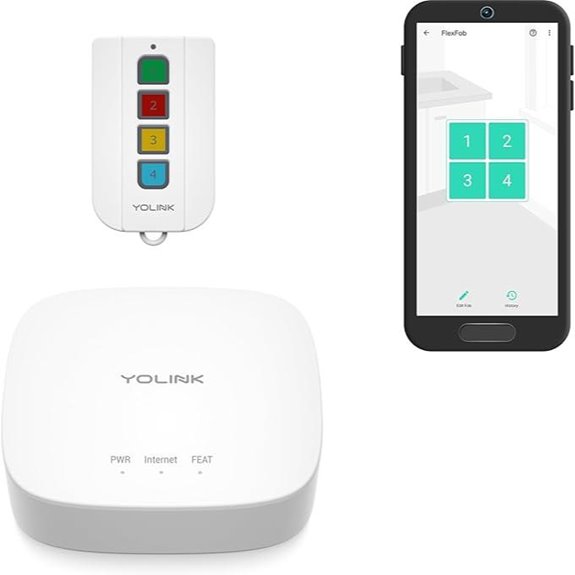 | Best for Automation | Control Method: App control (FlexFob) | Wireless Connectivity: Wireless (LoRa) | Battery Type: Standard coin battery | VIEW LATEST PRICE | See Our Full Breakdown |
| SONOFF Zigbee Wireless Push Button Switch (SNZB-01P) | 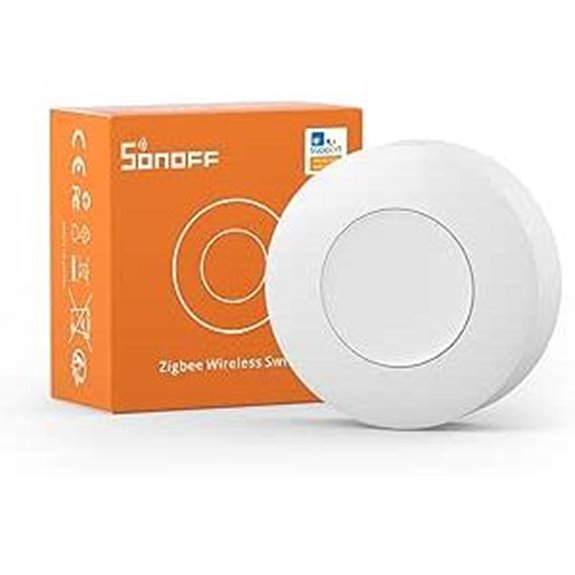 | Reliable Connectivity | Control Method: App control (eWeLink) | Wireless Connectivity: Zigbee (3.0) | Battery Type: CR2477 (included) | VIEW LATEST PRICE | See Our Full Breakdown |
| Flic Smart Button 3-Pack with Alexa Compatibility |  | Best Integration | Control Method: App control (Flic app) | Wireless Connectivity: Wireless (Bluetooth) | Battery Type: Replaceable coin battery | VIEW LATEST PRICE | See Our Full Breakdown |
| arre Smart Button with Matter & Thread Support | 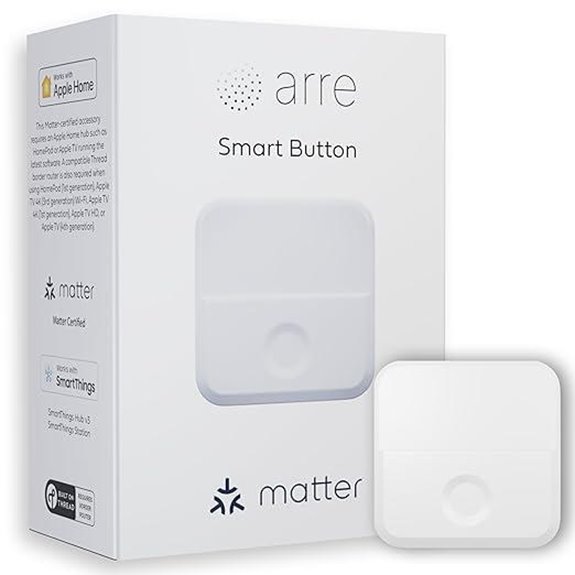 | Best for Apple Home | Control Method: App control (Matter/Thread) | Wireless Connectivity: Wireless (Thread) | Battery Type: Requires thread border router | VIEW LATEST PRICE | See Our Full Breakdown |
| Smart Switch Pusher with Bluetooth Control | 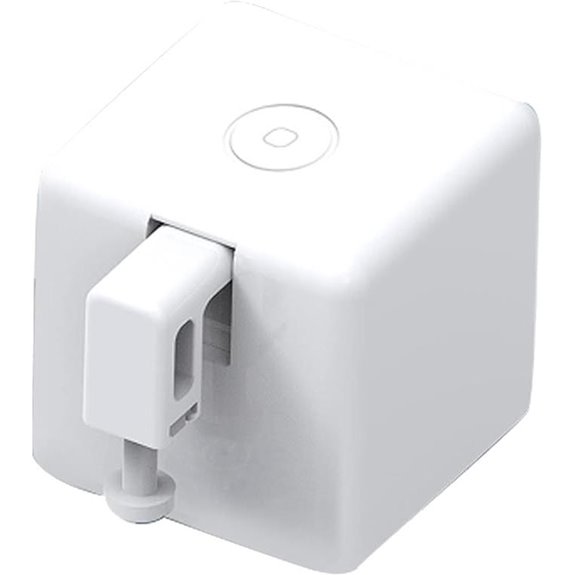 | Most User-Friendly | Control Method: App control (Bluetooth) | Wireless Connectivity: Bluetooth | Battery Type: Not specified (no batteries) | VIEW LATEST PRICE | See Our Full Breakdown |
| Shelly Blu Button Tough Black for Home Automation | 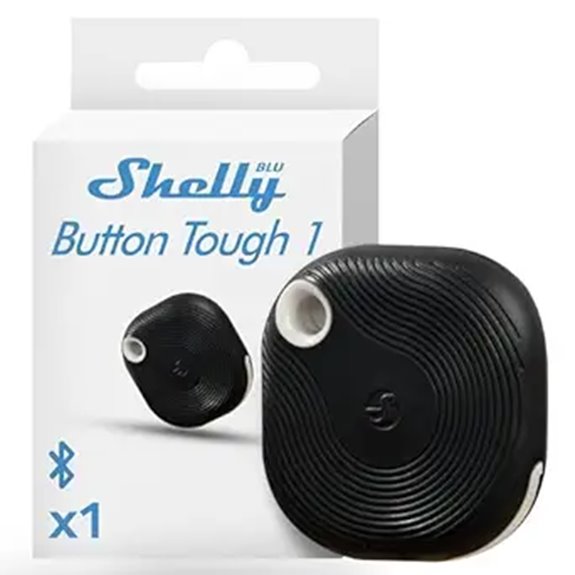 | Tough and Durable | Control Method: App control (Shelly app) | Wireless Connectivity: Bluetooth | Battery Type: Not specified (battery included) | VIEW LATEST PRICE | See Our Full Breakdown |
| ZigBee Smart Remote Button with Tuya App | 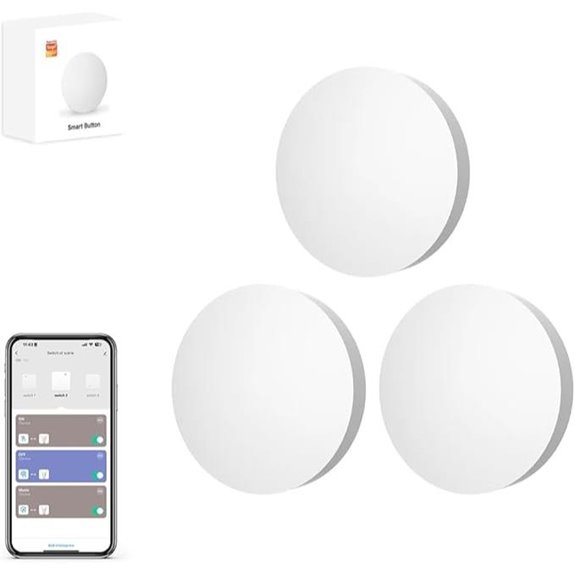 | Best for Group Control | Control Method: App control (Tuya Smart Life) | Wireless Connectivity: Zigbee | Battery Type: 2 AAA (replaceable) | VIEW LATEST PRICE | See Our Full Breakdown |
| THIRDREALITY ZigBee Smart Button 4 Pack |  | Best for Scene Control | Control Method: App control (Smart Bridge) | Wireless Connectivity: Zigbee | Battery Type: 2 AAA (replaceable) | VIEW LATEST PRICE | See Our Full Breakdown |
| Remote Button Pusher – Wireless Automatic Control | 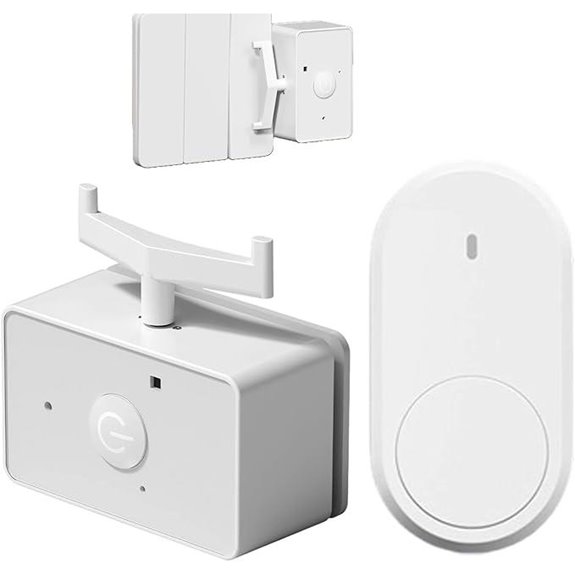 | Best for Accessibility | Control Method: App control (Wireless) | Wireless Connectivity: Wireless | Battery Type: Not specified (no batteries) | VIEW LATEST PRICE | See Our Full Breakdown |
More Details on Our Top Picks
Bluetooth Fingerbot Touch Smart Button for Alexa
If you’re looking for a smart home solution that effortlessly integrates with Alexa and simplifies your daily routines, the Bluetooth Fingerbot Touch Smart Button is a game-changer. This compact device controls traditional appliances like TVs and garage doors without any wiring. Using the Smart Life or Tuya app, I can set schedules and timers, making automation a breeze. Plus, with the Tuya Bluetooth gateway, I can control my devices remotely and via voice commands. Its lightweight design fits anywhere, enhancing my lifestyle with seamless integration. Honestly, it’s the perfect touch to elevate my kitchen routine and overall home experience!
- Control Method:App control (Bluetooth)
- Wireless Connectivity:Bluetooth 5.0
- Battery Type:Type-C rechargeable
- Voice Control Capability:Alexa compatible
- Automation Features:Schedules and scenes
- Installation Method:Adhesive installation
- Additional Feature:Compact, lightweight design
- Additional Feature:Easy installation process
- Additional Feature:Integrates with Smart Life App
BroadLink Wireless Smart Button Scene Switch
The BroadLink Wireless Smart Button Scene Switch is perfect for anyone looking to streamline their kitchen routines with effortless automation. I love how easy it is to set up—just press and hold for four seconds, and it auto-populates in the app. It’s compatible with a range of devices, like the LB4E26 Smart Bulb and GW4C Hub, allowing me to create custom scenes effortlessly. With its long battery life and wireless design, I can control my lighting and more without hassle. Plus, the 24/7 support is reassuring. For anyone wanting to enhance their kitchen experience, this smart button is a game-changer!
- Control Method:App control (BroadLink FastCon)
- Wireless Connectivity:Wireless (BroadLink FastCon)
- Battery Type:CR2430 (replaceable)
- Voice Control Capability:Alexa compatible
- Automation Features:Preset scenes
- Installation Method:Adhesive installation
- Additional Feature:Auto setup via FastCon
- Additional Feature:Long battery life (2 years)
- Additional Feature:4-position push button design
MOES Fingerbot Plus Smart Button Pusher with App
Looking to upgrade your kitchen routine with minimal hassle? The MOES Fingerbot Plus Smart Button Pusher is your perfect solution. It effortlessly transforms your traditional appliances into smart devices, allowing you to control everything from TVs to garage doors with just a tap. Installation is a breeze—simply stick it next to any switch in seconds, no tools needed. Plus, when paired with the Tuya Bluetooth Hub, you can control it remotely via the Smart Life app or even through voice commands with Alexa or Google Home. This little gadget makes home automation simple and efficient!
- Control Method:App control (Smart Life)
- Wireless Connectivity:Bluetooth (Tuya Hub)
- Battery Type:CR2 (replaceable)
- Voice Control Capability:Alexa, Google Home compatible
- Automation Features:Scheduled timing functions
- Installation Method:Adhesive installation
- Additional Feature:Built-in manual control buttons
- Additional Feature:Adhesive sticker installation
- Additional Feature:Energy-efficient CR2 battery
Smart Switch Button Pusher with App Control
For anyone who wants to upgrade their kitchen routine without replacing all their appliances, the Smart Switch Button Pusher with App Control is an ideal choice. This nifty device controls traditional switches and appliances effortlessly. With five tool arms, it fits various buttons, whether toggle or rocker. I love the Bluetooth connectivity that lets me operate it through the Smart Life or Tuya App, allowing me to set schedules and timers. Plus, adding a Tuya gateway opens up voice control options via Alexa or Google Home. Installation’s a breeze—just stick it on, and you’re ready to go!
- Control Method:App control (Smart Life/Tuya)
- Wireless Connectivity:Bluetooth (Tuya)
- Battery Type:CR2 (replaceable)
- Voice Control Capability:Alexa, Google Home compatible
- Automation Features:Scheduling and automation
- Installation Method:Adhesive installation
- Additional Feature:Click and press modes
- Additional Feature:Adjustable amplitude feature
- Additional Feature:5 tool arms included
SwitchBot Smart Switch Button Pusher (White)
Wondering how to automate your kitchen routines effortlessly? The SwitchBot Smart Switch Button Pusher (White) is your answer! It works with most rocker switches and one-way buttons, perfect for controlling coffee machines or air conditioners. Installation is a breeze—just stick it on with the included adhesive. With a battery life of up to 600 days, you won’t have to worry about replacements often. Control it via Bluetooth or add a SwitchBot Hub for remote access and voice commands through Alexa or Google Assistant. Plus, you can schedule timers right from the app. It’s smart home automation made easy!
- Control Method:App control (SwitchBot)
- Wireless Connectivity:Bluetooth
- Battery Type:CR2 (replaceable)
- Voice Control Capability:Alexa, Google Assistant compatible
- Automation Features:Built-in timers
- Installation Method:Adhesive installation
- Additional Feature:Supports multiple switch types
- Additional Feature:600 days battery life
- Additional Feature:No tools required for mounting
Philips Hue Wall Tap Dial Light Switch – Black
The Philips Hue Wall Tap Dial Light Switch is perfect for anyone wanting to simplify their smart lighting experience in the kitchen. This sleek black switch offers easy, no-wire installation with adhesive backing, letting me mount it anywhere. I can control multiple rooms with just a few presses, customizing each of the four buttons for different scenes or lighting levels. Plus, it’s portable—I can even remove the dial for on-the-go use. With compatibility through the Hue Bridge and Matter protocol, it integrates seamlessly with my other smart devices, making my kitchen routines more efficient and enjoyable.
- Control Method:App control (Hue Bridge)
- Wireless Connectivity:Wireless (Hue)
- Battery Type:CR2032 (included)
- Voice Control Capability:Alexa compatible
- Automation Features:Programmable scenes
- Installation Method:Adhesive installation
- Additional Feature:Portable and magnetic design
- Additional Feature:Customizable button functions
- Additional Feature:Supports Matter protocol
FlexFob 4-Button Smart Fob with Alexa Integration
Looking to simplify your kitchen routines? The FlexFob 4-Button Smart Fob with Alexa Integration is a game-changer! With four programmable buttons, I can easily control my YoLink devices, from lights to locks. Each button can execute two functions, making my automation seamless. I love that it integrates effortlessly with Alexa, allowing me to activate specific routines just by pressing a button. Plus, with IFTTT compatibility, I can create custom applets tailored to my needs. Thanks to LoRa-powered technology, I enjoy a range of over 1/4 mile, and the battery lasts up to a year. It’s a must-have for any smart kitchen!
- Control Method:App control (FlexFob)
- Wireless Connectivity:Wireless (LoRa)
- Battery Type:Standard coin battery
- Voice Control Capability:Alexa compatible
- Automation Features:Custom routines (IFTTT)
- Installation Method:Adhesive installation
- Additional Feature:Four programmable buttons
- Additional Feature:LoRa-powered technology
- Additional Feature:Over 1/4 mile range
SONOFF Zigbee Wireless Push Button Switch (SNZB-01P)
For those seeking a versatile and easy-to-use solution for their smart home setup, the SONOFF Zigbee Wireless Push Button Switch (SNZB-01P) stands out with its support for Zigbee 3.0 protocol. This compact button lets me control multiple devices seamlessly through the eWeLink app, using single, double, or long presses. I love that it integrates with Alexa, making voice control a breeze. Plus, it doubles as an emergency alert button, notifying my phone when needed. With a long-lasting battery and a straightforward installation process, it’s a fantastic addition to my kitchen routine and overall smart home experience.
- Control Method:App control (eWeLink)
- Wireless Connectivity:Zigbee (3.0)
- Battery Type:CR2477 (included)
- Voice Control Capability:Alexa compatible
- Automation Features:Scene control
- Installation Method:Adhesive installation
- Additional Feature:Emergency alert functionality
- Additional Feature:Customizable button actions
- Additional Feature:Zigbee 3.0 protocol support
Flic Smart Button 3-Pack with Alexa Compatibility
If you’re seeking seamless integration with your smart home ecosystem, the Flic Smart Button 3-Pack is an excellent choice, especially for those who rely on Alexa. With compatibility across over 10,000 devices, I can easily control lights, trigger scenes, or start playlists with just a push, double push, or hold. Setup is a breeze through the Flic app, and the compact design fits anywhere. Plus, the replaceable battery lasts up to three years! Whether I’m managing my home or enhancing productivity at work, Flic buttons make my daily routines effortless and efficient, turning my space into a smart haven.
- Control Method:App control (Flic app)
- Wireless Connectivity:Wireless (Bluetooth)
- Battery Type:Replaceable coin battery
- Voice Control Capability:Alexa compatible
- Automation Features:Custom automation
- Installation Method:Adhesive installation
- Additional Feature:Supports over 10,000 devices
- Additional Feature:Ultra-compact design
- Additional Feature:Replaceable coin battery
The arre Smart Button is perfect for anyone seeking seamless integration in their smart home ecosystem, especially with its Matter certification that guarantees compatibility across leading platforms. I love how it effortlessly connects with Apple Home and Samsung SmartThings, ensuring low-latency communication thanks to Thread support. With the ability to control devices through single, double, or long presses, it adds convenience to my daily routine. Plus, the included decorative sticker pack lets me personalize its look, even with fun glow-in-the-dark options. Just remember, you’ll need a Thread Border Router for ideal performance, but it’s totally worth it!
- Control Method:App control (Matter/Thread)
- Wireless Connectivity:Wireless (Thread)
- Battery Type:Requires thread border router
- Voice Control Capability:Apple Home compatible
- Automation Features:Custom actions
- Installation Method:Adhesive installation
- Additional Feature:Multi-click control options
- Additional Feature:Includes decorative sticker pack
- Additional Feature:Seamless integration with Apple Home
Smart Switch Pusher with Bluetooth Control
Looking to simplify your daily routines? The Smart Switch Pusher with Bluetooth Control is a game-changer for your home. I love how it automates traditional switches, letting me control lights, fans, and appliances effortlessly. With its durable ABS design, it handles daily use while supporting scheduled routines and scene configurations. I can create device groups within the app for coordinated actions, ensuring my family stays synced. Plus, the Bluetooth remote feature means I can control everything from anywhere. This little device truly enhances my kitchen experience and makes my life so much easier!
- Control Method:App control (Bluetooth)
- Wireless Connectivity:Bluetooth
- Battery Type:Not specified (no batteries)
- Voice Control Capability:Alexa compatible
- Automation Features:Scheduled routines
- Installation Method:Peel-and-stick application
- Additional Feature:Universal trigger for switches
- Additional Feature:Group control capability
- Additional Feature:No battery required
Shelly Blu Button Tough Black for Home Automation
For anyone seeking a durable and versatile solution to streamline their home automation, the Shelly Blu Button Tough Black stands out as an ideal choice. This Bluetooth-operated device lets me control up to four actions with simple click combinations, eliminating the need for my phone. It’s compatible with various Shelly devices, enhancing my smart home setup. I love its robust, IP54-rated design, which withstands shocks and splashes, making it perfect for any environment. Plus, the Shelly Smart Control app keeps me connected and informed with notifications, ensuring my home automation experience is seamless and convenient.
- Control Method:App control (Shelly app)
- Wireless Connectivity:Bluetooth
- Battery Type:Not specified (battery included)
- Voice Control Capability:Not specified
- Automation Features:Pre-set actions
- Installation Method:Adhesive installation
- Additional Feature:Durable IP54 rated design
- Additional Feature:Up to four preset actions
- Additional Feature:Notifications for automated events
ZigBee Smart Remote Button with Tuya App
If you’re someone who loves the convenience of controlling your smart home devices with ease, then the ZigBee Smart Remote Button with Tuya App is perfect for you. This button connects via a ZigBee Hub, allowing you to manage various devices like smart plugs and LED lights effortlessly. With the Tuya Smart Life App, you can create custom scene modes for activities like reading or movie nights. Plus, its simple push-button design means installation is a breeze—you can mount it on the wall or place it anywhere you like. Enjoy seamless control and quick access to your smart home routines!
- Control Method:App control (Tuya Smart Life)
- Wireless Connectivity:Zigbee
- Battery Type:2 AAA (replaceable)
- Voice Control Capability:Alexa compatible
- Automation Features:Scene mode customization
- Installation Method:Wall-mounted or placed
- Additional Feature:Quick scene setup
- Additional Feature:Wall-mountable design
- Additional Feature:Energy-saving alternative
THIRDREALITY ZigBee Smart Button 4 Pack
The THIRDREALITY ZigBee Smart Button 4 Pack is perfect for anyone seeking effortless control over their smart home devices, especially in a busy kitchen environment. This compact, wireless design lets me place buttons wherever I need them, whether on the wall or fridge. With three modes—Pressed, Double Pressed, and Held—I can easily manage lights, fans, or even set scenes like movie night. Plus, it works seamlessly with popular hubs like SmartThings and Apple HomeKit. The 3-year battery life guarantees I won’t be changing batteries often, making it a practical addition to my smart home setup.
- Control Method:App control (Smart Bridge)
- Wireless Connectivity:Zigbee
- Battery Type:2 AAA (replaceable)
- Voice Control Capability:Apple Home compatible
- Automation Features:Scene controller feature
- Installation Method:Adhesive or magnetic mounting
- Additional Feature:3-way remote control
- Additional Feature:OTA firmware updates
- Additional Feature:Compact and flexible placement
Looking for an effortless way to control your appliances and lights without the hassle of getting up? The Remote Button Pusher is exactly what you need. With its wireless automatic control, you can easily manage your devices from up to 20 meters away, making it perfect for any room in your home. Installation is a breeze—just peel and stick, no wiring required! This versatile gadget allows you to access hard-to-reach buttons seamlessly, enhancing both convenience and safety. Whether it’s for your kitchen or bedroom, this device simplifies your routine and keeps everything within arm’s reach.
- Control Method:App control (Wireless)
- Wireless Connectivity:Wireless
- Battery Type:Not specified (no batteries)
- Voice Control Capability:Not specified
- Automation Features:Remote control for routines
- Installation Method:Peel-and-stick installation
- Additional Feature:Wall-penetrating performance
- Additional Feature:Peel-and-stick installation
- Additional Feature:Enhances nighttime safety
Factors to Consider When Choosing Smart Home Buttons for Kitchen Routines

When I’m picking smart home buttons for my kitchen, I always consider a few key factors. Compatibility with my appliances and wireless connectivity options are essential for seamless integration. Plus, I love features like automation and voice control to simplify my cooking routines.
Compatibility With Appliances
Choosing the right smart home button for your kitchen routines is essential, especially since compatibility with your appliances can make or break your experience. First, make sure the button works with your specific appliances, like your coffee machine or lighting systems. Check if it integrates with your existing smart home ecosystem, whether it’s Zigbee, Z-Wave, Wi-Fi, or Bluetooth. I also recommend confirming that the button can control multiple devices at once through scene or group functions in your smart home app. Don’t forget to verify that it’s compatible with the type of switches you have, whether toggle, rocker, or one-way. finally, consider whether it needs a hub and if it’s compatible with your current setup.
Wireless Connectivity Options
After ensuring your smart home button is compatible with your appliances, it’s time to contemplate the wireless connectivity options. You’ll find choices like Bluetooth, Zigbee, Z-Wave, Wi-Fi, and LoRa, each with unique benefits. Bluetooth is great for nearby devices, but its short range (10-30 meters) might limit you. Zigbee and Z-Wave offer low-power, mesh networking, enhancing reliability over larger areas. If you want high bandwidth and remote control, Wi-Fi is your best bet, as it connects directly to your home network. For those with larger properties, LoRa provides long-range, low-power control but may come with higher latency. Evaluating these options will help you choose the best smart home button for your kitchen routines.
Ease of Installation
While I appreciate the advanced features of smart home buttons, ease of installation is a essential factor that can’t be overlooked. I always look for options that offer tool-free installation, like peel-and-stick mounting, to make setup a breeze without needing any tools or wiring. Compatibility with my existing appliances is critical, as it guarantees seamless integration. I prefer buttons with clear, easy-to-follow instructions or app-guided processes to minimize errors during setup. Versatile mounting options, such as magnetic or adhesive pads, are also a plus, allowing me to place them flexibly in my kitchen. Ultimately, I prioritize products that support quick installation, ideally within seconds, saving me time and effort during setup.
Automation and Scheduling Features
When I consider smart home buttons for my kitchen, automation and scheduling features instantly catch my attention. I love the idea of programming my buttons to trigger specific routines, like turning on the coffee maker every morning. Scheduling features enhance convenience by allowing me to set precise on/off times for appliances, which boosts energy efficiency. I also appreciate advanced buttons that enable multiple scene activations with just a single press or a long-press action, making complex tasks easier. The integration with my smart home ecosystem ensures seamless automation, like adjusting lighting while I cook or clean. With reliable scheduling, I can count on my kitchen devices to operate consistently, reducing the need for manual intervention and supporting my daily routines.
Voice Control Integration
As I explore smart home buttons for my kitchen, voice control integration stands out as a game changer. Being able to operate my devices hands-free through voice commands via platforms like Alexa, Google Assistant, or Siri makes life so much easier. I’ve learned that for seamless activation of routines—like starting my coffee maker or turning on kitchen lights—these buttons need to connect to a compatible hub that supports voice control protocols. It’s also great that many devices support multiple voice platforms, giving me flexible control options. This integration really enhances accessibility and convenience, especially when I’m multitasking or my hands are full. I can’t imagine my kitchen routine without it!
Battery Life Considerations
Voice control integration makes kitchen tasks easier, but I’ve also got to contemplate battery life when choosing smart home buttons. A longer battery life means I won’t have to frequently replace batteries, ensuring my devices work seamlessly during busy cooking sessions. I’ve noticed that gadgets with power-efficient components can last over a year on a single charge, which is a game changer. I also appreciate devices with rechargeable or replaceable batteries, as they offer flexibility and save costs in the long run. Of course, I keep in mind that my usage patterns—like how often I press the buttons—can impact battery life. Plus, monitoring battery status through app notifications keeps me from facing unexpected device failures when I need them most.
Frequently Asked Questions
Are Smart Home Buttons Compatible With All Kitchen Appliances?
Smart home buttons aren’t compatible with all kitchen appliances. I’ve found that compatibility varies depending on the brand and model of both the button and the appliance. Before I buy, I always check the specifications to make certain they work together. Some buttons connect through Wi-Fi, while others use Bluetooth, so it’s crucial to take that into account as well. I recommend looking for buttons that specifically mention compatibility with your appliances for the best results.
How Can I Customize Button Functions for My Routines?
I customize button functions for my routines by using the dedicated app that comes with my smart home buttons. First, I connect the button to my Wi-Fi and select the appliance I want to control. Then, I set specific actions, like turning on the coffee maker or adjusting lights. I can even schedule routines for different times of the day. It’s super convenient and makes my kitchen life so much easier!
Do These Buttons Require Internet Access to Function?
I’ve found that it really depends on the specific smart button. Some do need internet access to function fully, especially if they’re linked to cloud-based services or apps. Others can operate offline, allowing basic tasks without connectivity. I’ve experimented with various buttons, and while the internet connection enhances their capabilities, I appreciate those that still work seamlessly without it. It’s all about finding what suits your routine best!
What Is the Battery Life of Smart Home Buttons?
The battery life of smart home buttons varies, but I’ve noticed most last anywhere from six months to two years, depending on usage and the specific model. I always check the manufacturer’s specifications for details. Some buttons come with rechargeable batteries, which can be super convenient. I’ve found that keeping an eye on the battery status is vital to guarantee my routines run smoothly without interruption.
Can I Use Multiple Buttons in One Kitchen Setup?
Yes, you can definitely use multiple buttons in one kitchen setup! I’ve set up several in my own kitchen, each programmed for different tasks like turning on lights, starting my coffee maker, or controlling the music. It makes everything so much easier and more efficient. Just make sure they’re compatible with your smart home system. It’s a game-changer for managing kitchen routines seamlessly. Give it a try; you’ll love the convenience!
Conclusion
In today’s fast-paced world, smart home buttons can be your kitchen’s secret weapon, transforming chaos into harmony. Imagine this: you’ve got your hands full while juggling dinner prep, and with just a simple tap, your smart button dims the lights and starts your favorite playlist. It’s like having a personal assistant right at your fingertips. So, embrace these innovative gadgets, and let them streamline your routines, making every meal a delightful experience. Happy cooking!