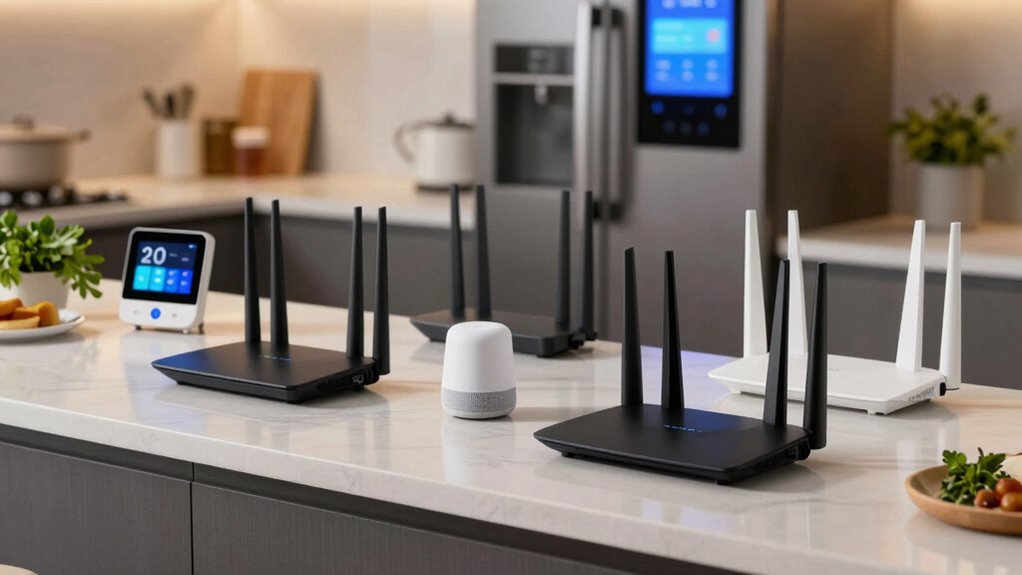

Finding the right WiFi router for a kitchen filled with smart devices can be challenging. You need a model that offers reliable coverage, fast speeds, and easy setup, all while managing multiple connected gadgets. The TP-Link Archer AX1450 stands out for its balance of speed and affordability, making it suitable for most smart kitchens. The Eero 6 Mesh offers excellent coverage for larger spaces, perfect if your kitchen is part of an open-plan layout. Meanwhile, the NETGEAR Nighthawk WiFi 7 provides cutting-edge performance for tech enthusiasts who demand the best. Continue reading to see how these and other options compare, and find the best fit for your smart kitchen setup.
Complete the kit


Key Takeaways
- Coverage size and mesh capabilities are critical for larger kitchens or open layouts.
- WiFi 6 and WiFi 7 options generally provide faster speeds and better device management for multiple smart gadgets.
- Budget models can handle basic smart device connectivity but may struggle with high device density or streaming needs.
- Advanced features like VPN support and USB ports are more common in premium models, appealing to power users.
- Ease of setup and user interface can significantly affect your experience, especially for non-technical users.
| TP-Link WiFi 6 Dual Band Router with 4 Gigabit LAN Ports |  | Best Overall for Smart Kitchen Setups | Wi-Fi Technology: Wi-Fi 6 (802.11ax) | Bands: Dual Band (2.4 GHz and 5 GHz) | Maximum Speed: 1201 Mbps on 5 GHz, 300 Mbps on 2.4 GHz | VIEW ON AMAZON | See Our Full Breakdown |
| TP-Link Archer AX1450 WiFi 6 Dual-Band Wireless Router |  | Best Value for Kitchen Smart Device Connectivity | Wi-Fi Technology: Wi-Fi 6 | Maximum Speed: 1.45 Gbps | Bands: Dual-band | VIEW ON AMAZON | See Our Full Breakdown |
| NETGEAR Nighthawk Dual-Band WiFi 7 Router (RS90) |  | Best for Large, High-Demand Kitchens | Speed: up to 3.6 Gbps | Coverage: up to 2,000 sq. ft. | Device Capacity: 50 devices | VIEW ON AMAZON | See Our Full Breakdown |
| Eero 6 Mesh WiFi Router – Supports Internet Plans Up to 900 Mbps, Coverage Up to 1,500 sq. ft., Connect 75+ Devices |  | Best for Seamless Whole-Home Coverage with Smart Home Hub | Coverage: 1,500 sq. ft. | Wi-Fi Speed: 900 Mbps | Wi-Fi Standard: Wi-Fi 6 (802.11ax) | VIEW ON AMAZON | See Our Full Breakdown |
| NETGEAR Nighthawk WiFi 6 Router (RAX36) – AX3000, Dual-Band, 3 Gbps, Covers 2,000 sq. ft., 25 Devices, VPN, USB 3.0, Gaming |  | Best for High-Performance, Small to Medium Kitchens | Coverage: 2,000 sq. ft. | Maximum Speed: 3 Gbps | Number of Devices Supported: 25 | VIEW ON AMAZON | See Our Full Breakdown |
| DBIT N300 2.4GHz WiFi Router with WISP Repeater Mode, Guest Network, and Internet Access Control |  | Best Budget for Basic Smart Home Connectivity | Speed: 300 Mbps | Frequency Band: 2.4 GHz | Wireless Compatibility: 802.11b, g, n | VIEW ON AMAZON | See Our Full Breakdown |
| TP-Link BE6500 Dual-Band WiFi 7 Router (BE400) |  | Best for Future-Proof High-Speed Smart Homes | Technology: Wi-Fi 7 | Maximum Speed: up to 5764 Mbps | Coverage: up to 2,400 sq. ft. | VIEW ON AMAZON | See Our Full Breakdown |
| TP-Link AX1800 WiFi 6 Router (Archer AX21 V5) |  | Best for Multi-Device Smart Kitchens with Wi-Fi 6 | Technology: Wi-Fi 6 (802.11ax) | Total Bandwidth: 1.8 Gbps | Max Speed (5 GHz): 1200 Mbps | VIEW ON AMAZON | See Our Full Breakdown |
| TP-Link AC1900 Smart WiFi Router Dual Band Router for Wireless Internet |  | Best for Easy Setup and Basic Smart Device Connectivity | Wave 2 Wireless: Yes | Wireless Speed: up to 600 Mbps (2.4GHz), up to 1300 Mbps (5GHz) | Frequency Band: Dual-Band | VIEW ON AMAZON | See Our Full Breakdown |
| NETGEAR Nighthawk Dual-Band WiFi 7 Router (RS140) |  | Best for High-Performance, Large Smart Kitchens | WiFi Standard: WiFi 7 | Speed: up to 5 Gbps | Coverage: 2,250 sq. ft. | VIEW ON AMAZON | See Our Full Breakdown |
| NETGEAR WiFi 6 Router (R6700AX) – AX1800 Wireless Speed, Covers Up to 1,500 sq. ft., Supports 20 Devices, Dual-Band |  | Best Overall for Small Homes with Multiple Devices | Model: R6700AX | WiFi Standard: WiFi 6 (AX1800) | Speed: Up to 1.8 Gbps | VIEW ON AMAZON | See Our Full Breakdown |
| TP-Link AC1200 WiFi Router Dual Band Wireless Internet Router (Archer A54) |  | Best for Budget-Conscious Users Seeking Easy Setup | Wi-Fi Speed: up to 867 Mbps (5 GHz) and 300 Mbps (2.4 GHz) | Total Bandwidth: 1200 Mbps | Coverage Area: up to 1,000 sq. ft. | VIEW ON AMAZON | See Our Full Breakdown |
| wifi routers for kitchen smart device | Coverage | Ports |
|---|---|---|
| TP-Link WiFi 6 Dual Band Route | — | — |
| TP-Link Archer AX1450 WiFi 6 D | — | — |
| NETGEAR Nighthawk Dual-Band Wi | up to 2,000 sq. ft. | 1 x 2.5 Gig WAN, 4 x 1 Gig Ethernet LAN |
| Eero 6 Mesh WiFi Router | 1,500 sq. ft. | — |
| NETGEAR Nighthawk WiFi 6 Route | 2,000 sq. ft. | 4 x 1G Ethernet, USB 3.0 |
| DBIT N300 2.4GHz WiFi Router w | — | 4 LAN |
| TP-Link BE6500 Dual-Band WiFi | up to 2,400 sq. ft. | 1x 2.5 Gbps WAN, 1x 2.5 Gbps LAN, 3x 1 Gbps LAN |
| TP-Link AX1800 WiFi 6 Router | — | — |
| TP-Link AC1900 Smart WiFi Rout | Up to 1,200 sq. ft. | 4 Gigabit LAN, 1 WAN |
| NETGEAR Nighthawk Dual-Band Wi | 2,250 sq. ft. | 1x 2.5 Gbps WAN, 3x 1 Gbps LAN |
| NETGEAR WiFi 6 Router | Up to 1,500 sq. ft. | — |
| TP-Link AC1200 WiFi Router Dua | — | 5 Ethernet ports |
More Details on Our Top Picks
TP-Link WiFi 6 Dual Band Router with 4 Gigabit LAN Ports
The TP-Link Archer AX10 stands out for combining Wi-Fi 6 technology with robust wired options, making it a strong choice for kitchens with multiple smart devices and streaming needs. Compared to the NETGEAR RAX36, it provides similar high-speed capabilities but with a more straightforward setup process, though it lacks advanced security features. Its four Gigabit Ethernet ports ensure reliable wired connections for smart hubs or smart displays, while Beamforming technology boosts signal strength in tricky kitchen layouts. The main tradeoff is that it requires a modem and might challenge non-technical users during setup. Overall, this router is best suited for those who want a solid, future-proof connection without extra frills.
Pros:- Supports Wi-Fi 6 for faster speeds and higher capacity
- Includes four Gigabit Ethernet ports for reliable wired connections
- Beamforming technology enhances signal strength and coverage
Cons:- Requires a separate modem for most internet providers
- Setup may be complex for non-technical users
Best for: Homeowners with a busy kitchen that needs fast, reliable Wi-Fi and wired connections for multiple smart devices
Not ideal for: Users seeking advanced security features or a simple plug-and-play setup without technical expertise
- Wi-Fi Technology:Wi-Fi 6 (802.11ax)
- Bands:Dual Band (2.4 GHz and 5 GHz)
- Maximum Speed:1201 Mbps on 5 GHz, 300 Mbps on 2.4 GHz
- Ethernet Ports:4 Gigabit LAN ports
- Processor:900MHz Dual-Core
- Compatibility:Supports all previous 802.11 standards
Our verdict“This router delivers a balanced mix of speed, wired options, and coverage, ideal for tech-savvy users with multiple smart devices in the kitchen.”
TP-Link Archer AX1450 WiFi 6 Dual-Band Wireless Router
The TP-Link Archer AX1450 offers impressive dual-band Wi-Fi 6 speeds up to 1.45 Gbps, making it a cost-effective option for busy kitchens with many smart gadgets. Unlike the more feature-rich NETGEAR Nighthawk RS90, it emphasizes ease of use and energy efficiency, suitable for users who prioritize straightforward setup and reliable coverage. Its beamforming and OFDMA support help maintain strong signals across the kitchen, even with multiple devices. However, as a renewed product, it might have limited warranty, and its security features are not explicitly highlighted, which could be a concern for security-conscious users. This pick makes sense for those who want fast, modern Wi-Fi without the need for advanced security or extensive features.
Pros:- Fast dual-band Wi-Fi speeds up to 1.45 Gbps
- Supports multiple devices with improved capacity
- Easy setup with TP-Link Tether App
Cons:- Renewed product may have limited warranty
- Performance depends on device compatibility
Best for: Budget-conscious home cooks and renters seeking fast Wi-Fi for smart devices with simple setup
Not ideal for: Power users needing advanced security features or extensive wired connectivity
- Wi-Fi Technology:Wi-Fi 6
- Maximum Speed:1.45 Gbps
- Bands:Dual-band
- 5 GHz Speed:1201 Mbps
- 2.4 GHz Speed:250 Mbps
- Features:Beamforming, OFDMA, Target Wake Time
Our verdict“A reliable, speedy router ideal for users who want Wi-Fi 6 performance on a budget without complex features.”
NETGEAR Nighthawk Dual-Band WiFi 7 Router (RS90)
The NETGEAR Nighthawk RS90 leverages WiFi 7 to support speeds up to 3.6 Gbps, making it ideal for large kitchens with many smart devices, streaming, and gaming. Unlike the AX1450, it offers significantly higher maximum speeds and coverage of up to 2,000 sq. ft., supporting up to 50 devices simultaneously with MU-MIMO and OFDMA. Its advanced security features, including NETGEAR Armor, add a layer of protection, but often require a subscription after the free trial. The setup can be more involved, especially with multiple devices and network complexities. This router makes the most sense for tech-savvy households that need high throughput and broad coverage, but less so for those looking for a simple plug-and-play experience.
Pros:- High-speed WiFi 7 performance up to 3.6 Gbps
- Wide coverage of up to 2,000 sq. ft.
- Supports 50 devices simultaneously
Cons:- Requires a separate modem or gateway
- Security features may need subscription after free trial
- Setup can be complex for less technical users
Best for: Large households with many smart devices and high data demands in the kitchen
Not ideal for: Casual users or those with smaller kitchens who don’t need WiFi 7 speeds
- Speed:up to 3.6 Gbps
- Coverage:up to 2,000 sq. ft.
- Device Capacity:50 devices
- Wi-Fi Bands:Dual-band WiFi 7
- Processor:Quad-core 2.0 GHz
- Ports:1 x 2.5 Gig WAN, 4 x 1 Gig Ethernet LAN
Our verdict“This router is best for large, tech-heavy kitchens demanding top-tier speed and extensive device support.”
Eero 6 Mesh WiFi Router – Supports Internet Plans Up to 900 Mbps, Coverage Up to 1,500 sq. ft., Connect 75+ Devices
The Eero 6 mesh system excels in providing consistent, whole-home Wi-Fi coverage, making it an excellent choice for kitchens integrated into larger living spaces. Its built-in Zigbee hub simplifies smart device management, reducing clutter and compatibility concerns. While its maximum speed of 900 Mbps suits most streaming and smart device needs, it doesn’t match the raw speed of high-end routers like the NETGEAR RS90 or RAX36, but its ease of setup and management via the Eero app makes it accessible for less tech-savvy users. The limited Ethernet ports and dependence on the internet plan’s speed are potential drawbacks. This router is ideal for users seeking reliable, simple, coverage-focused Wi-Fi with smart home integration.
Pros:- Supports Wi-Fi 6 with coverage up to 1,500 sq. ft.
- Built-in Zigbee smart home hub reduces device clutter
- Easy setup and management via the Eero app
Cons:- Limited to 2 Ethernet ports
- Performance constrained by internet plan speed
- Price may be higher compared to basic routers
Best for: Home cooks who want seamless coverage and integrated smart home control in a larger kitchen or open-plan space
Not ideal for: Advanced users needing maximum throughput or extensive wired connections
- Coverage:1,500 sq. ft.
- Wi-Fi Speed:900 Mbps
- Wi-Fi Standard:Wi-Fi 6 (802.11ax)
- Ethernet Ports:2 gigabit ports
- Smart Home Hub:Zigbee, Alexa compatible
- Security:WPA3, WPA2
Our verdict“This mesh system offers reliable coverage and smart home integration, perfect for larger kitchens in need of hassle-free Wi-Fi.”
NETGEAR Nighthawk WiFi 6 Router (RAX36) – AX3000, Dual-Band, 3 Gbps, Covers 2,000 sq. ft., 25 Devices, VPN, USB 3.0, Gaming
The NETGEAR Nighthawk RAX36 combines WiFi 6 speed up to 3 Gbps with a sleek design suited for kitchens where high throughput is needed for gaming, streaming, and smart devices. It supports a smaller device load of around 25, making it more manageable than the RS90 but still capable for busy kitchens. Its USB 3.0 port and VPN support add versatility for tech-savvy users who want secure remote access. Compared to the AX1450, it offers higher speeds and better device management but lacks the extensive coverage of the RS90, making it better suited for medium-sized kitchens rather than sprawling spaces. The setup remains somewhat technical, but it’s a strong choice for those who prioritize speed and security over coverage.
Pros:- Fast WiFi 6 speeds up to 3 Gbps
- Covers up to 2,000 sq. ft.
- Includes USB 3.0 ports and VPN support
Cons:- Limited to 25 devices supported simultaneously
- Requires a separate modem
- Setup can be complex for non-technical users
Best for: Tech-savvy households with a focus on high-speed internet for streaming, gaming, and security in medium-sized kitchens
Not ideal for: Large households or those needing extensive coverage or mesh capabilities
- Coverage:2,000 sq. ft.
- Maximum Speed:3 Gbps
- Number of Devices Supported:25
- WiFi Technology:WiFi 6 (802.11ax)
- Processor:1.7 GHz quad-core
- Ports:4 x 1G Ethernet, USB 3.0
Our verdict“This router balances high speed and security for kitchens that don’t require massive coverage or mesh features.”
DBIT N300 2.4GHz WiFi Router with WISP Repeater Mode, Guest Network, and Internet Access Control
The DBIT N300 stands out for providing reliable 300Mbps speeds on the 2.4GHz band, which is sufficient for HD streaming, browsing, and controlling smart devices in smaller spaces. Compared with the TP-Link AC1900, it offers a simpler setup with fewer advanced features but excels in extended coverage thanks to its WISP/repeater mode. However, its lack of dual-band support and limited security make it less suited for households with multiple high-bandwidth devices or security concerns. This pick makes the most sense for those who prioritize budget-friendly coverage over speed and advanced security, especially in small kitchens or apartments.
Pros:- Reliable 300Mbps speed suitable for HD streaming and browsing
- Extended coverage with WISP/repeater mode
- Supports guest networks and parental controls
- IPTV and VLAN support for added entertainment options
Cons:- Does not include a built-in modem, needing a separate device
- Limited to 2.4GHz, not suitable for 4K streaming or future-proofing
Best for: Small households or apartments needing reliable basic internet for smart devices and streaming
Not ideal for: Large homes or users requiring 4K streaming and high security, due to its 2.4GHz-only band and basic protections
- Speed:300 Mbps
- Frequency Band:2.4 GHz
- Wireless Compatibility:802.11b, g, n
- Ports:4 LAN
- Antenna Count:2
- Security Protocol:WPA2-PSK
Our verdict“Ideal for budget-conscious users with small spaces seeking dependable smart device connectivity without advanced features.”
TP-Link BE6500 Dual-Band WiFi 7 Router (BE400)
The TP-Link BE6500 leverages Wi-Fi 7 technology to deliver ultra-fast speeds up to 5764 Mbps on 5GHz, making it ideal for large kitchens with many smart devices, streaming in 4K, and gaming. Its wide 2,400 sq. ft. coverage and six high-performance antennas ensure robust connectivity across a sizable area. Compared with the NETGEAR RS140, it offers more advanced features and better security with WPA3 and HomeShield, but it requires a separate modem and may be complex for less tech-savvy users. This router fits households looking for high throughput and seamless device management without sacrificing speed.
Pros:- Supports Wi-Fi 7 for the fastest, lowest latency connections
- Wide coverage up to 2,400 sq. ft. with 6 high-gain antennas
- Easy setup via Tether app and advanced security with WPA3
- Multiple Ethernet ports support wired connectivity
Cons:- Requires a separate modem for internet access
- Some features may be overly complex for non-technical users
Best for: Large households with many smart devices and high-speed streaming needs
Not ideal for: Users with small spaces or simpler setups who won’t utilize Wi-Fi 7’s full capabilities
- Technology:Wi-Fi 7
- Maximum Speed:up to 5764 Mbps
- Coverage:up to 2,400 sq. ft.
- Ports:1x 2.5 Gbps WAN, 1x 2.5 Gbps LAN, 3x 1 Gbps LAN
- Antennas:6
- Security:WPA3, HomeShield
Our verdict“Best suited for tech-savvy households seeking cutting-edge Wi-Fi speeds and extensive coverage for numerous smart devices.”
TP-Link AX1800 WiFi 6 Router (Archer AX21 V5)
The TP-Link AX1800 delivers solid Wi-Fi 6 performance with speeds up to 1.8 Gbps, supporting multiple smart devices, streaming, and gaming simultaneously. Its beamforming and high-gain antennas bolster coverage, making it suitable for medium to large kitchens where several gadgets are active. Compared to the NETGEAR RS140, it offers broader device support and better security features, but it still requires a separate modem. Its compatibility across major ISPs makes it a flexible choice. This router is a good fit for those wanting future-ready Wi-Fi 6 technology without paying for premium Wi-Fi 6E features.
Pros:- Fast Wi-Fi 6 speeds supporting multiple devices
- Strong coverage with beamforming and high-gain antennas
- Supports advanced security features and VPN
- Compatible with all major ISPs
Cons:- Requires a separate modem for most internet services
- No support for Wi-Fi 6E or 6 GHz band
Best for: Homeowners with multiple smart devices and streaming demands in medium-sized kitchens
Not ideal for: Very large homes or those needing the latest Wi-Fi 6E support, since it lacks the 6 GHz band
- Technology:Wi-Fi 6 (802.11ax)
- Total Bandwidth:1.8 Gbps
- Max Speed (5 GHz):1200 Mbps
- Max Speed (2.4 GHz):574 Mbps
- Antennas:4 high-gain
- Security:Advanced, VPN support
Our verdict“A balanced choice for households wanting reliable Wi-Fi 6 speeds and multi-device support in the kitchen environment.”
TP-Link AC1900 Smart WiFi Router Dual Band Router for Wireless Internet
The TP-Link AC1900 offers speeds up to 600 Mbps on 2.4GHz and 1300 Mbps on 5GHz, making it suitable for small to medium kitchens with multiple smart devices. Its beamforming and MU-MIMO technology improve coverage and device support, and setup via the Tether app is straightforward. Compared with the AX1800, it provides similar performance but with fewer security features and no support for Wi-Fi 6. It’s a practical choice for users who want reliable, uncomplicated Wi-Fi without the need for the latest standards or multi-gigabit speeds.
Pros:- High-speed dual-band WiFi supporting multiple devices
- Easy setup with Tether app
- Reliable coverage with beamforming and MU-MIMO
- Supports guest network and parental controls
Cons:- No support for Wi-Fi 6 or higher bands
- Limited security features
Best for: Small to medium kitchens with multiple smart devices and moderate internet needs
Not ideal for: High-demand households or future-proofing, due to lacking Wi-Fi 6 support and lower speeds
- Wave 2 Wireless:Yes
- Wireless Speed:up to 600 Mbps (2.4GHz), up to 1300 Mbps (5GHz)
- Frequency Band:Dual-Band
- Coverage:Up to 1,200 sq. ft.
- Ports:4 Gigabit LAN, 1 WAN
- Supports VPN:No
Our verdict“A straightforward, reliable router for users seeking simple smart device connectivity without advanced features.”
NETGEAR Nighthawk Dual-Band WiFi 7 Router (RS140)
The NETGEAR Nighthawk RS140 offers impressive Wi-Fi 7 speeds up to 5 Gbps and covers up to 2,250 sq. ft., ideal for busy kitchens with many smart devices, streaming, and gaming. Its support for up to 80 devices makes it suitable for larger households with multiple simultaneous connections. Compared with the TP-Link BE6500, it doesn’t support Wi-Fi 7 but still delivers excellent performance for most smart home needs. Its reliance on a separate modem limits its standalone use, but management via the Nighthawk app simplifies setup. This router is perfect for those who need speed, capacity, and coverage in a high-traffic kitchen environment.
Pros:- Fast Wi-Fi 7 speeds up to 5 Gbps
- Covers large areas up to 2,250 sq. ft.
- Supports up to 80 devices simultaneously
- User-friendly management via Nighthawk app
Cons:- Requires a separate modem for internet access
- Subscription needed for advanced security features like NETGEAR Armor
Best for: Large households with many connected devices seeking high-speed, reliable Wi-Fi in the kitchen
Not ideal for: Smaller spaces or users who want integrated modem/router solutions or Wi-Fi 6E support
- WiFi Standard:WiFi 7
- Speed:up to 5 Gbps
- Coverage:2,250 sq. ft.
- Device Capacity:80 devices
- Ports:1x 2.5 Gbps WAN, 3x 1 Gbps LAN
- Security:Advanced, NETGEAR Armor (trial)
Our verdict“Best suited for large households needing high-speed, extensive coverage, and device capacity for their smart kitchen setup.”
NETGEAR WiFi 6 Router (R6700AX) – AX1800 Wireless Speed, Covers Up to 1,500 sq. ft., Supports 20 Devices, Dual-Band
The NETGEAR Nighthawk R6700AX stands out as the best overall choice for small homes where multiple smart devices are in use. Its WiFi 6 (AX1800) standard provides fast speeds up to 1.8 Gbps, supporting up to 20 devices simultaneously—ideal for kitchens packed with smart gadgets. Compared to the TP-Link Archer A54, which offers slightly lower speeds and coverage, this model excels in reliability and security with WPA3 encryption. The easy setup via the Nighthawk app makes it accessible for most users, though coverage could fall short in larger or multi-story homes. Its built-in security features, including NETGEAR Armor, are a plus but require a subscription. This model makes the most sense for small households needing robust, secure WiFi for many devices without complex setup.
Pros:- Fast WiFi 6 speeds supporting multiple devices simultaneously
- Easy setup with intuitive Nighthawk app
- Reliable coverage for small spaces
- Built-in WPA3 security
Cons:- Limited coverage in larger homes
- Some ISP gateways may need bridge mode for full compatibility
- NETGEAR Armor security requires an additional subscription
Best for: Small households or apartments needing reliable, secure WiFi for multiple smart kitchen devices
Not ideal for: Larger homes or those requiring extensive coverage beyond 1,500 sq. ft., due to limited range
- Model:R6700AX
- WiFi Standard:WiFi 6 (AX1800)
- Speed:Up to 1.8 Gbps
- Coverage:Up to 1,500 sq. ft.
- Number of Devices Supported:Up to 20
- Ethernet Ports:4 x 1 Gigabit Ethernet
Our verdict“This router is best suited for small homes or apartments with many smart devices needing secure, fast WiFi.”
TP-Link AC1200 WiFi Router Dual Band Wireless Internet Router (Archer A54)
The TP-Link Archer A54 offers a solid budget option for those seeking reliable WiFi in a kitchen environment. Its dual-band speeds of up to 867 Mbps on 5 GHz and 300 Mbps on 2.4 GHz deliver enough bandwidth for streaming, smart home control, and casual browsing. Unlike the NETGEAR R6700AX, which supports WiFi 6, this model sticks to older standards, meaning slightly slower speeds but at a more affordable price point. The four external antennas help extend coverage up to 1,000 sq. ft., suitable for smaller kitchens or open-plan layouts. Its compatibility with EasyMesh allows easy expansion, but it lacks support for WiFi 6, which could phase out future-proofing. This pick makes sense for budget-minded users who want decent performance without complicated setup or higher costs.
Pros:- Affordable price for reliable dual-band speeds
- Four external antennas for better coverage
- Supports WPA3 security and EasyMesh for expansion
- Easy to set up via the TP-Link Tether app
Cons:- Does not support WiFi 6, limiting future speed upgrades
- Performance can vary with obstacles or dense walls
- Lacks advanced features found in higher-end routers
Best for: Budget-conscious homeowners with moderate smart device use in kitchens up to 1,000 sq. ft.
Not ideal for: Homes with many high-bandwidth devices or larger spaces, where WiFi 6 would provide better future-proofing and speeds
- Wi-Fi Speed:up to 867 Mbps (5 GHz) and 300 Mbps (2.4 GHz)
- Total Bandwidth:1200 Mbps
- Coverage Area:up to 1,000 sq. ft.
- Antennas:4 external antennas
- Security:WPA3, WPA2-Enterprise, WPA2-PSK
- Ports:5 Ethernet ports
Our verdict“This router is ideal for budget-conscious users seeking reliable WiFi coverage for moderate smart device use in small to medium kitchens.”
How We Picked
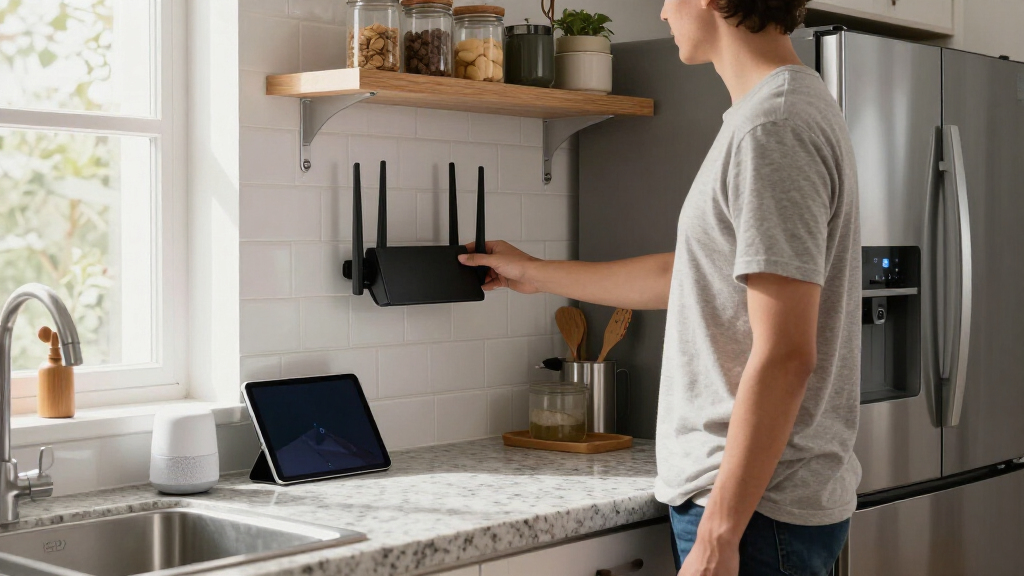
These routers were evaluated based on their performance in managing multiple smart devices, coverage area, ease of setup, build quality, and value for money. Since a kitchen can be a high-interference zone due to appliances and walls, models with strong signals and mesh options scored higher. Speed and device capacity were also key factors, as smart kitchens often host numerous gadgets like voice assistants, smart displays, and security cameras. The ranking reflects a balance between price, features, and real-world usability, ensuring options suit different needs and budgets.Factors to Consider When Choosing Wifi Routers For Kitchen Smart Devices
When selecting a WiFi router for your kitchen’s smart devices, consider several factors that impact connectivity and user experience. A good router should cover the entire kitchen area without dead zones and support multiple devices simultaneously. Security features are important to protect your smart gadgets from cyber threats. Additionally, compatibility with existing internet plans and future-proofing with newer WiFi standards can save money and hassle over time. Avoid choosing a router based solely on advertised speeds; real-world performance and device management matter more in a smart kitchen setting.Coverage Area and Mesh Capabilities
Smart kitchens often require consistent coverage due to walls, appliances, and open layouts. Larger spaces benefit from mesh systems or routers with extended range features. Investing in a mesh setup can eliminate dead spots, especially if your kitchen is part of a bigger living area. Be cautious of routers that advertise high speeds but lack sufficient range, as you won’t experience the full benefits in a larger or obstructed space.
WiFi Standard and Speed
WiFi 6 and WiFi 7 are the latest standards offering faster, more reliable connections, and better handling of multiple devices. For a smart kitchen with many gadgets, these standards improve responsiveness and reduce lag. However, compatibility with your internet plan and devices matters—upgrading to WiFi 6 might not be worth it if your internet speed is limited. Think about your current and future device ecosystem to choose the right standard.
Device Capacity and Management
Smart kitchens often host a dozen or more connected devices. A router with high device capacity and robust management tools helps prevent congestion. Features like Quality of Service (QoS) can prioritize bandwidth for essential gadgets, like security cameras or voice assistants. Avoid routers that advertise high speeds but are limited in simultaneous device support, which can lead to slowdowns and disconnections.
Ease of Setup and User Interface
Most smart kitchen owners prefer routers that are quick to set up and easy to manage via intuitive apps. Complex interfaces or confusing instructions can frustrate non-technical users. Look for models with clear guidance, stable firmware, and options for parental controls or guest networks if needed. A good user experience in setup and management can save time and reduce troubleshooting later.
Security and Future-Proofing
Security features like WPA3 encryption, automatic updates, and guest network support help keep your smart devices safe from cyber threats. Future-proofing involves choosing routers that support upcoming standards and firmware updates. Investing in a model with these features can extend its usefulness, especially as your smart kitchen expands or upgrades over time.