In your first month with a smart kitchen, you’ll learn how devices connect and communicate seamlessly, making cooking more efficient and fun. You’ll explore app controls to preheat ovens, check inventories, and create routines that automate tasks. Expect to troubleshoot and discover hidden features as you get comfortable with synchronization and customization. As you gain confidence, you’ll enjoy a smoother, smarter cooking experience—stay tuned to uncover even more ways to maximize your smart kitchen!
Key Takeaways
- Expect an initial learning curve as you familiarize yourself with app controls and device functionalities.
- Discover new features through exploration, trial and error, and reading manuals to maximize appliance capabilities.
- Practice creating routines and automations to improve kitchen efficiency and streamline your cooking processes.
- Troubleshoot common issues by exploring settings, consulting guides, and experimenting with device integrations.
- Over time, you’ll develop confidence in managing your smart kitchen, transforming it into a safer, more connected cooking environment.

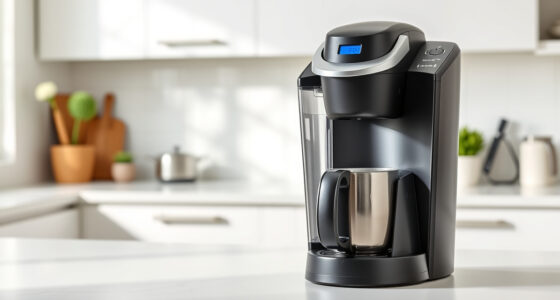
Imagine a kitchen where appliances communicate seamlessly, helping you cook smarter and more efficiently. Your first month with a smart kitchen starts with discovering the gadget features that make everyday tasks effortless. These appliances aren’t just ordinary tools; they come packed with innovative features designed to elevate your cooking experience. For instance, smart refrigerators can track expiration dates and suggest recipes based on the ingredients inside. Smart ovens adjust cooking times automatically, ensuring your meals are perfectly cooked every time. As you familiarize yourself with these gadgets, you’ll notice how each feature aims to save you time and reduce the hassle of meal prep.
Smart appliances communicate seamlessly, making cooking easier and more efficient.
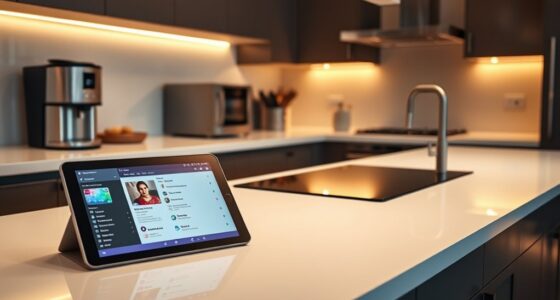
App integration plays a vital role in making your smart kitchen truly intuitive. Most smart appliances connect effortlessly to your smartphone or tablet through dedicated apps, giving you control from anywhere. With these apps, you can preheat your oven on your way home, check your fridge’s inventory, or set timers remotely. This integration transforms your device into a central hub that streamlines your cooking routine. It’s like having a personal kitchen assistant that’s always accessible, offering alerts, tips, and updates directly to your device. You’ll quickly learn how to navigate these apps, customize settings, and even receive troubleshooting guidance, making the entire process smoother.
In your first month, you’ll also learn how to sync multiple devices for a cohesive experience. For example, you might connect your smartphone to your smart lights, speakers, and appliances, creating a synchronized environment that responds to your commands. You’ll see how simple it is to set routines—such as turning on the coffee maker and preheating the oven with a single tap or voice command. As you experiment, you’ll discover ways to optimize your kitchen’s efficiency, saving time and energy with automation features.
Getting accustomed to these new gadgets and app integrations involves some trial and error, but it’s rewarding. You’ll learn how different features interact, uncover hidden functionalities, and develop routines that suit your lifestyle. Expect to spend time exploring the settings, reading user manuals, and possibly troubleshooting issues. But with each step, you’ll gain confidence in managing your smart kitchen. By the end of your first month, you’ll realize how these technological advancements have started transforming your cooking space into a smarter, more connected environment that anticipates your needs and simplifies your daily routines.
Additionally, understanding power tool safety and proper setup can help you avoid common mishaps as you integrate more technology into your kitchen.

Electric Salt and Pepper Grinder Set Automatic Battery Pepper Mill Shakers Adjustable Coarseness Upgraded Larger Capacity with Led Home and Kitchen Appliances Birthday Gifts for Women Men
- Adjustable seasoning levels: 5 levels for precise flavor control
- One-hand operation: Press to grind, release to stop
- Powered by 4 AAA batteries: Battery-operated for effortless use
As an affiliate, we earn on qualifying purchases.
As an affiliate, we earn on qualifying purchases.
Frequently Asked Questions
How Do I Troubleshoot Connectivity Issues With Smart Appliances?
To troubleshoot connectivity issues with your smart appliances, start with Wi Fi troubleshooting by checking your router and ensuring your device is within range. Restart your router to improve connection stability, and make sure your appliances are connected to the right network. Keep firmware updated, and if problems persist, reset the device’s Wi Fi settings. A stable, strong Wi Fi signal is key to seamless smart appliance performance.
What Safety Precautions Should I Follow With Smart Kitchen Devices?
To guarantee kitchen safety with smart devices, always follow proper device handling procedures, such as unplugging appliances before cleaning or maintenance. Keep your smart kitchen area dry to prevent electrical hazards and avoid overloading outlets. Regularly update device firmware for security. Stay attentive to user manuals, and never bypass safety features. These steps help maintain safe kitchen practices and protect both you and your smart appliances.
Can I Integrate My Smart Kitchen With Existing Home Automation Systems?
Yes, you can integrate your smart kitchen with existing home automation systems, enhancing your experience with recipe customization and appliance compatibility. You’ll want to make certain your devices are compatible with your system’s platform, like Alexa or Google Home. Connect compatible appliances through the app, and customize recipes using voice commands. This integration simplifies cooking, allows seamless control, and makes managing your smart kitchen more intuitive and efficient.
How Do I Update Firmware or Software on Smart Kitchen Gadgets?
Ready for a smoother experience? To update firmware or software on your smart kitchen gadgets, you usually start with the app linked to each device. Look for firmware updates or app synchronization prompts—these often appear automatically or in settings. Don’t ignore these updates; they fix bugs and add features. Keep your app connected and follow on-screen instructions for a quick, seamless update that keeps your gadgets running perfectly.
What Privacy Measures Are in Place to Protect My Data?
Your smart kitchen gadgets protect your data with robust security measures like data encryption, which safeguards your information during transfer and storage. Access controls ensure only authorized users can view or modify your data. Manufacturers also regularly update security features to address potential vulnerabilities. You can further enhance privacy by changing default passwords and reviewing privacy settings, giving you peace of mind about your data safety.

Typhur Sync Oven with Smart Wireless Meat Thermometer Probe, 12‑in‑1 Countertop Airfryer Toaster Oven Combo, 360° Turbo Convection, Dehydrator, Recipes & 5 Accessories, Large 27QT with Extra Wire Rack
- Built-in Wireless Probe: Real-time temperature tracking and auto-shutoff
- Precision Cooking: NIST-verified sensors with ±0.5°F accuracy
- Smart Air Fryer-Toaster: Versatile cooking with preset and custom options
As an affiliate, we earn on qualifying purchases.
As an affiliate, we earn on qualifying purchases.
Conclusion
By the end of your first month, your smart kitchen will feel like a trusted co-pilot guiding every meal. Expect it to become a symphony of convenience and innovation, turning your culinary chaos into a well-orchestrated dance. As you learn its rhythms, you’ll find yourself mastering a new language of technology, transforming your kitchen into a futuristic haven. Embrace the journey—soon, you’ll wonder how you ever cooked without this smart, savvy sidekick.
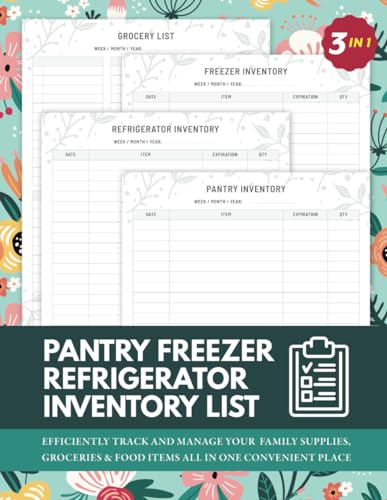
3 In 1 Pantry Freezer Refrigerator Inventory List: Simple Inventory Log Book To Keep Record of Grocery & Food Items, Quantity and Expiration Date
As an affiliate, we earn on qualifying purchases.
As an affiliate, we earn on qualifying purchases.

Aqara Water Leak Sensor 3 Pack, Zigbee Water Leak Detector for Alarm System
- Requires Aqara Hub: Sold separately, compatible with specific hubs
- Wi-Fi Connection: Needs 2.4GHz or 2.4/5GHz Wi-Fi
- Stable Zigbee Range: Within 10 meters of Aqara Hub
As an affiliate, we earn on qualifying purchases.
As an affiliate, we earn on qualifying purchases.