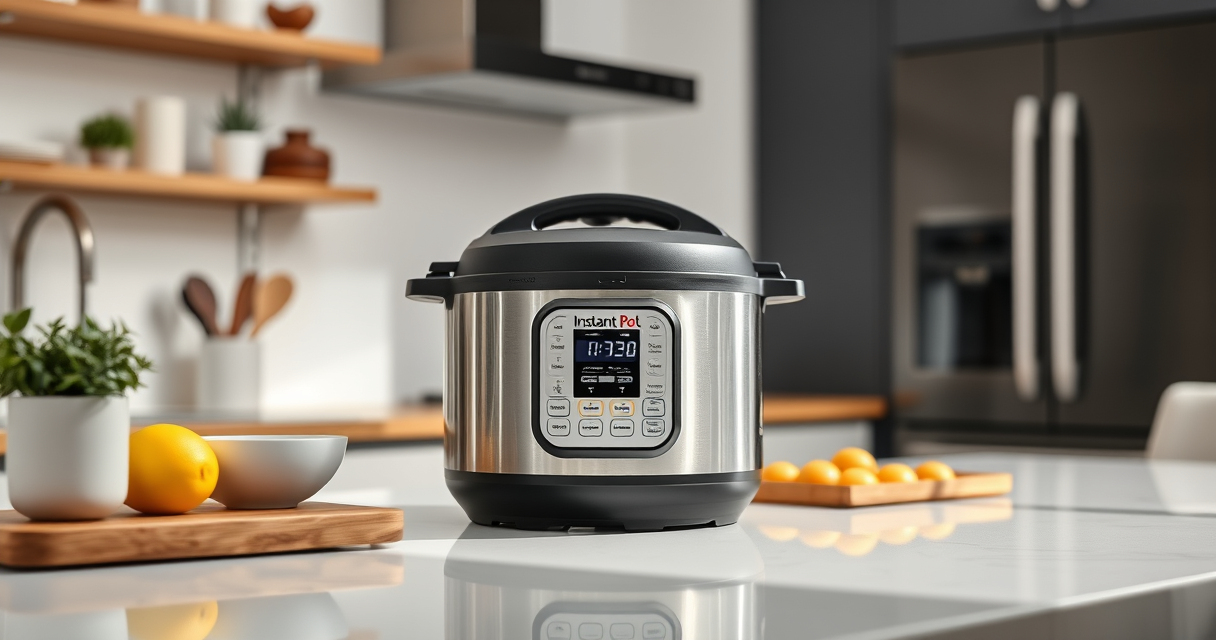

If your Instant Pot displays a burn warning, it can be frustrating and disruptive to your cooking. This guide provides practical, step-by-step instructions to identify causes and safely resolve the issue, ensuring your meals turn out perfectly each time.

Get kitchen gear delivered free — and shop member deals
- Fast, free delivery on millions of items
- Access to Prime Big Deal Days deals on October 6–7
- Prime Video, Amazon Music and more included
Understanding common causes like food sticking, insufficient liquid, or sealing issues helps prevent future errors. Follow these tips carefully to fix the problem and keep your Instant Pot running smoothly.
Key Takeaways
| Common Causes | Food sticking, low liquid, or sealing problems trigger burn errors. |
| Safety First | Always unplug the Instant Pot before opening to avoid burns or accidents. |
| Prevention Tips | Use enough liquid and stir food well to prevent burning. |
| Regular Maintenance | Check and replace sealing rings periodically for optimal performance. |
Understanding the Burn Error
The burn error typically appears when the Instant Pot detects that the contents are starting to scorch or stick to the bottom. This safety feature prevents further damage or mess. Common causes include food residues, insufficient liquid, or a faulty sealing ring.
Step 1: Turn Off and Unplug
- Press the ‘Cancel’ button to turn off the Instant Pot.
- Unplug the device from the power outlet for safety before opening.
Step 2: Release Pressure Safely
- Follow the quick release method if safe: turn the vent to ‘Venting’ to release steam carefully.
- Wait until the float valve drops and no more steam escapes.
Step 3: Open the Lid and Inspect
Open the lid carefully, avoiding hot steam. Check for burnt food or stuck particles at the bottom of the inner pot.
Step 4: Clean and Prepare
- Remove the inner pot and clean thoroughly with warm soapy water.
- Check the sealing ring for cracks or residue; replace if needed.
- Ensure the bottom of the inner pot is free of food debris.
Step 5: Add Liquids and Restart
Reassemble the pot with enough liquid (at least 1 cup, depending on recipe). Stir ingredients to prevent sticking. Close the lid securely, set the pressure cooker function, and start cooking again.
Tips and Warnings
- Always use the recommended amount of liquid to prevent burning.
- Make sure the sealing ring is properly seated and in good condition.
- Avoid overfilling the inner pot—leave enough space for steam buildup.
- Regularly inspect the sealing components for wear and tear.
The Products in This Guide

Instant Pot 4QT RIO Mini 7-in-1 Multi-Cooker
- ✔ Power: 1000W
- ✔ Weight: 10 lbs
- ✔ Dimensions: 11 x 9 x 9 inches

AOZITA Steamer Basket
- ✔ Diameter: 9 inches
- ✔ Height: 6 inches
- ✔ Weight: 1.5 lbs
Instant Pot 4QT RIO Mini 7-in-1 Multi-Cooker
The Instant Pot 4QT RIO Mini offers versatile cooking with 7 functions, including pressure cooking, slow cooking, and yogurt making. Its anti-spin design keeps the pot steady, and the modern rosewater finish adds style to your kitchen.
Pros:
- 7-in-1 functionality
- Compact size for small spaces
- Easy to monitor with progress indicator
- Fast cooking times
Cons:
- Limited capacity for large families
- Requires attention to sealing ring condition
- Potential for burn errors if not used properly
Best for: Small families, students, singles
Not ideal for: Cooking large quantities or for big families
Bottom line: A versatile mini multi-cooker perfect for small kitchens and quick meals.
AOZITA Steamer Basket
The AOZITA Steamer Basket adds versatility to your Instant Pot, allowing you to steam vegetables, eggs, and seafood efficiently while keeping ingredients separate. Its 2-tier design maximizes space and cooking options.
Pros:
- Two-tier design for multitasking
- Stainless steel mesh for durability
- Compatible with 6 and 8 qt models
- Silicone handles for safety
Cons:
- May be slightly heavy for some users
- Requires space in the pot for stacking
- Cleaning can be a bit tedious
Best for: Steaming multiple foods at once, batch cooking
Not ideal for: For those needing only simple steaming or small parts
Bottom line: A versatile and sturdy steamer basket to expand your Instant Pot’s capabilities.
Frequently Asked Questions
What causes the Burn error on my Instant Pot?
The burn error is usually caused by food sticking to the bottom, insufficient liquid, or a faulty sealing ring. Ensuring enough liquid and proper sealing helps prevent it.
How can I fix a Burn error without damaging my Instant Pot?
Turn off and unplug the device, release pressure safely, clean the inner pot thoroughly, and add enough liquid before restarting.
How often should I replace the sealing ring?
Inspect the sealing ring regularly for cracks or wear; replace it at least once a year or sooner if you notice damage or odors.
Can I still cook if I get a Burn warning?
Yes, after troubleshooting and cleaning, you can restart the cooking process, but prevent future errors by following proper filling and stirring practices.
Keep Your Instant Pot Running Smoothly
Burn errors can be easily addressed with proper cleaning, adequate liquid, and correct sealing. Following these troubleshooting steps ensures your Instant Pot remains a reliable kitchen helper, cooking your favorite meals safely and efficiently.
Affiliate disclosure: As an Amazon Associate we earn from qualifying purchases. Prices and availability are accurate as of the time of publishing.
Halloween Picks
halloween
As an affiliate, we earn on qualifying purchases.