
TL;DR
Prebuilt AI workstations now often match or beat DIY builds on price and reliability, thanks to component shortages and bulk buying. The key tradeoff is convenience versus customization and control.
Building your own AI workstation used to be a no-brainer for saving money. Now, with chip shortages and skyrocketing GPU prices, that’s no longer true. The question is: do you want a machine tailored to your needs—or a ready-to-go system that just works?
This article breaks down the real costs, performance, and support differences between building and buying your AI rig in 2026. Whether you’re a hobbyist, a professional, or a business, understanding these factors will help you make the best call for your workload and budget. For more insights, check out Build vs Buy a Prebuilt AI Workstation.
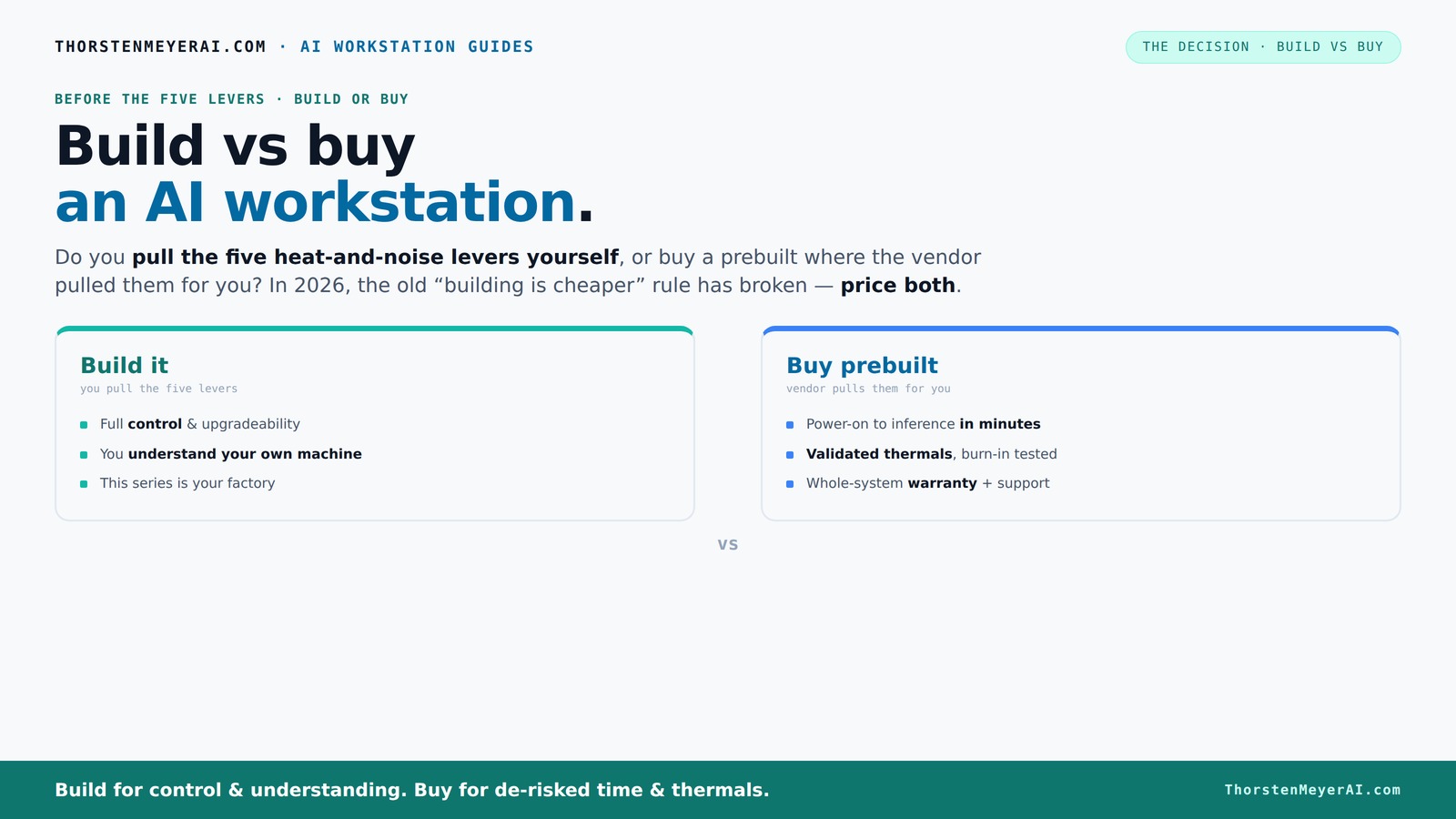
Build vs buy
an AI workstation.
The real question behind this whole series: do you pull the five heat-and-noise levers yourself, or buy a prebuilt where the vendor pulled them for you? And in 2026, the old “building is cheaper” rule has broken. Match your situation in Part 3.
Key Takeaways
- Component shortages in 2026 have made prebuilt workstations as affordable—or more so—than DIY builds, especially when factoring in time and risk.
- Choosing between build and buy depends on workload fit, support needs, and your comfort with hardware tuning.
- Prebuilts offer validated thermals, quick deployment, and warranty support—ideal for professionals and teams needing reliability.
- Building your own allows for precise customization of GPU, cooling, and future upgrades—best for hobbyists and power users.
- Always verify critical AI hardware specs like VRAM, cooling solutions, and power supply before buying or building.

WIWB Gaming PC Desktop Core I9-14900HX, RTX 5060 Ti 8G, 1TB NVME SSD
- Powerful Processor: Intel Core i9-14900HX with 24 Cores
- High-Performance Graphics: GeForce RTX 5060 Ti 8GB GDDR7
- Fast Memory & Storage: 16GB DDR5 RAM and 1TB NVMe SSD
As an affiliate, we earn on qualifying purchases.
As an affiliate, we earn on qualifying purchases.
Why 2026 Changes the Build vs Buy Equation — and What It Means for You
Building used to be cheaper, full stop. Today, component shortages and bulk buying have flipped that script. A DIY rig that cost $1,000 in 2024 now easily hits $1,250 or more, simply because parts like GPUs, DDR5 RAM, and SSDs have jumped in price. If you’re considering your options, see Build vs Buy a Prebuilt AI Workstation.
Meanwhile, prebuilt manufacturers bought these parts early, locking in prices and passing savings on to you. Some systems now match DIY costs or even come in cheaper, especially when you factor in time and troubleshooting.
So, the old rule "build cheaper" no longer holds. Instead, consider what you value more: immediate setup and support, or full control and customization. The choice hinges on workload, time, cost, and your comfort with tech tweaks.

AI Systems Performance Engineering: Optimizing Model Training and Inference Workloads with GPUs, CUDA, and PyTorch
As an affiliate, we earn on qualifying purchases.
As an affiliate, we earn on qualifying purchases.
Who Pulls the Levers? Your Role vs the Vendor’s
Imagine your AI workstation as a furnace — it needs to stay cool and quiet under heavy load. When you buy a prebuilt, the vendor handles the thermal management, fan tuning, and cooling validation. This means you get a machine tested to run at high loads without throttling, backed by a warranty.
Building it yourself puts you in the driver’s seat. You choose a quiet GPU, undervolt it, pick the right cooler, optimize airflow, and fine-tune fan curves — all to suit your exact workload and noise preferences.
For example, a vendor like Lambda offers systems with water cooling that reduces noise by up to 30%, tested under 48-hour burn-in. Do you want that peace of mind, or the control to tweak everything yourself?

Samsung SSD 9100 PRO 2TB, PCIe 5.0x4 M.2 2280, Up to 14,700MB/s
- PCIe 5.0 Performance: Up to 14,700MB/s read speeds
- Enhanced Task Speeds: Up to 2,600K IOPS for multitasking
- Ideal for Gaming & Creation: Fast load times and seamless AI apps
As an affiliate, we earn on qualifying purchases.
As an affiliate, we earn on qualifying purchases.
When a Prebuilt Is Your Fastest Ticket to Productivity
If speed matters, prebuilt systems often win. They arrive with the OS, drivers, and AI frameworks like CUDA and TensorFlow preinstalled. Just power on, and you’re ready for inference or training.
For example, a professional AI researcher can start working within minutes on a prebuilt, while a DIY might take 4–6 hours just to assemble, install, and troubleshoot.
Plus, vendors run extensive testing — 24 to 48 hours of load testing — to prevent thermal throttling or instability. For busy teams or time-sensitive projects, that reliability can be priceless. Learn more about prebuilt options at Build vs Buy a Prebuilt AI Workstation.
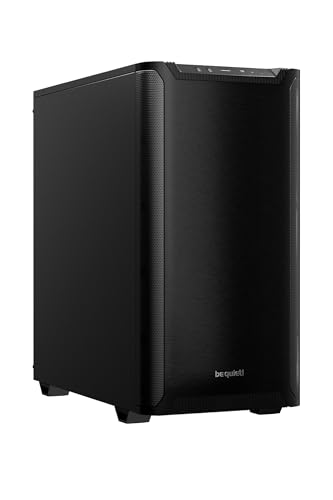
be quiet! Pure Base 501 Black ATX Case | 2 Preinstalled Pure Wings 3 140mm PWM Fans | Optimized Air Pressure | Compact PC Case | Vertical GPU Installation | USB 3.2 Gen. 2 Type C | BG073
- Minimalist Design: Clean, distraction-free appearance
- Optimized Airflow: Includes two PWM 140mm fans
- Quiet Operation: Reduces turbulence and noise
As an affiliate, we earn on qualifying purchases.
As an affiliate, we earn on qualifying purchases.
Cost Comparison: Building vs Buying in 2026 — The Numbers
| Aspect | Build |
|---|---|
| Component Cost | Usually $1,200–$1,500 for high-end parts; rises with GPU VRAM and CPU power |
| Labor & Troubleshooting | Many hours—up to 8–12 hours, plus potential troubleshooting |
| Warranty & Support | Fragmented; individual component warranties, support varies |
| Time to Use | 4–6 hours minimum, plus setup and OS install |
| Aspect | Prebuilt |
|---|---|
| Component Cost | Typically $1,300–$1,600, often with bulk discounts |
| Labor & Troubleshooting | Minimal; system arrives ready to run |
| Warranty & Support | Single vendor, often 3–5 years support |
| Time to Use | Minutes to hours, depending on setup |
In many cases, prebuilts now match or beat DIY costs, especially when factoring in time and risk.
What Parts Matter Most for AI: Focus on VRAM, Cooling, and Power
When it comes to AI workloads, not all parts are equal. GPU VRAM is king—especially for large language models and image generation. You want at least 24GB for smooth inference and fine-tuning.
Cooling and power delivery matter too. Overheating chips throttle performance, and unstable power can cause crashes. Prebuilt vendors test these under load, while DIY builders need to engineer it themselves.
For example, a system with a 4090 GPU and a 1280W PSU, cooled with custom water loops, ensures maximum performance without thermal throttling. Your choice of parts directly impacts workload stability and speed.
Prebuilt Checklist: What to Look For Before Buying
- GPU VRAM: At least 24GB for large models
- Power supply: 1000W+ with high efficiency
- Cooling: Water cooling or proven air cooling for sustained loads
- Warranty: 3–5 years support from a reputable vendor
- Component compatibility: Ensure the motherboard supports your GPU and RAM needs
- Upgrade options: Check if the case and PSU allow future expansion
For example, a well-designed prebuilt from Lambda or BIZON often ticks all these boxes, saving you the hassle of verifying compatibility yourself.
DIY Checklist: How to Build a High-Performance AI Rig
- Select a compatible motherboard supporting PCIe 4.0/5.0 and large VRAM GPUs
- Choose a quiet GPU like the RTX 4090 or A6000 based on workload needs
- Pick a high-quality PSU (>1000W, 80 Plus Gold or better)
- Install a cooling system—air or water—optimized for noise and thermal performance
- Undervolt and tune the GPU for efficiency and noise reduction
- Configure airflow in your case for maximum cooling and minimum noise
- Install and test the OS, drivers, and AI frameworks
Resources like quiet GPUs and cooling tips make this process smoother.
Who Should Buy Prebuilt, and Who Should Build?
If your priority is quick deployment, reliable support, and minimizing setup headaches, prebuilt is the way to go. It’s ideal for small teams or professionals who need to start training models fast. See Build vs Buy a Prebuilt AI Workstation for more details.
On the other hand, enthusiasts and power users who want full control over GPU and system tuning should consider building their own AI workstation, with resources available at Build vs Buy a Prebuilt AI Workstation.U choice, cooling, and future upgrades will find building more rewarding. You get the exact hardware for your workload—and the skills to tweak it as needs evolve.
For example, a data scientist running large models benefits from a prebuilt with validated thermals, while a hobbyist experimenting with custom cooling may prefer building their own.
Frequently Asked Questions
Is it cheaper to build or buy a prebuilt AI workstation?
In 2026, component shortages and bulk buying have closed the price gap. Prebuilts often match or beat DIY costs when you factor in time, troubleshooting, and warranty support.Which option offers better performance for local AI workloads?
Both can deliver high performance, but prebuilts often come with validated thermals and optimized cooling, reducing thermal throttling and improving stability during heavy loads.How much VRAM do I need for large language models or image generation?
Aim for at least 24GB of VRAM for most large models and generative tasks. Higher VRAM allows smoother inference and fine-tuning without bottlenecks.Can I upgrade a prebuilt later?
Depends on the case and motherboard. Some prebuilts use proprietary parts, making upgrades trickier. Check upgrade options before purchasing.Do prebuilts come with better warranty and support than DIY builds?
Yes, most reputable vendors offer multi-year support and on-site or remote troubleshooting, reducing downtime and stress.Conclusion
In 2026, the decision to build or buy your AI workstation isn’t just about saving money—it's about matching your workload needs with support, speed, and control.
If you value quick setup and reliability, a prebuilt can get you started faster than ever. But if you crave full hardware control and customization, building remains a rewarding challenge.